Adding Dynamic Accounts in Password Vault
Authorized users can define the target devices’ users as Password Vault accounts. When configuring a dynamic Password Vault account, Kron PAM establishes a connection to the target system and changes the old password with a random password generated by the Password Vault. The new password is encrypted and stored on the Kron PAM database. To add a Dynamic account:
- Navigate to Secrets > Vault.
- Open the Vault tab.
- Click the + Add button and select Add Account.
- Select the Type (Dynamic), Configuration (type of the target system), Account Group Name, Owner of Vault, Enter Account Name, Private, Enable/Disable Duallock, and Additional Information (Description, Secret Notes, Additional Info, and Account Tags).
- Click Next.
- Fill in the Host (IP/Name), Change Period, username, and password information. From the combo box Change Period, users can specify when the passwords are to be changed.
- If the change period type is selected as Periodic, the Change Period (Day) textbox appears, and the Password change frequency information (in days) can be entered in that field.
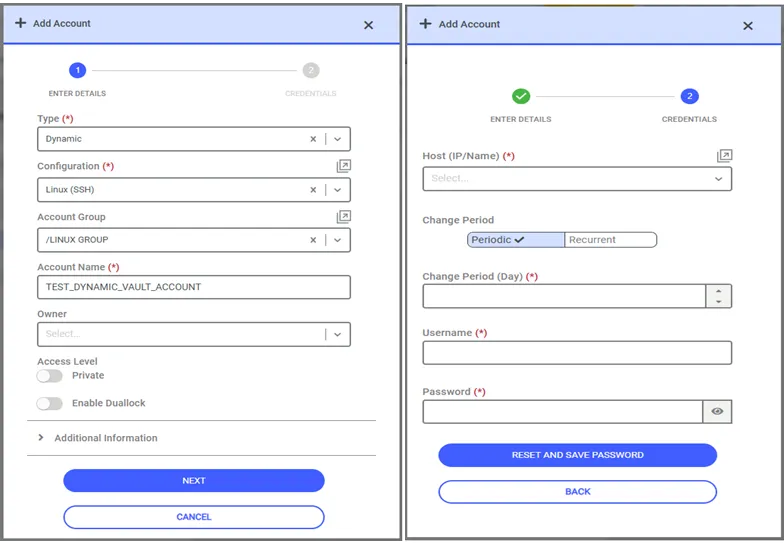
Adding Dynamic Accounts
- If the user selects Recurrent as the Change Period value, the Recurrence Unit combo box appears on the screen with the following choices:
- Day
- Week
- Month
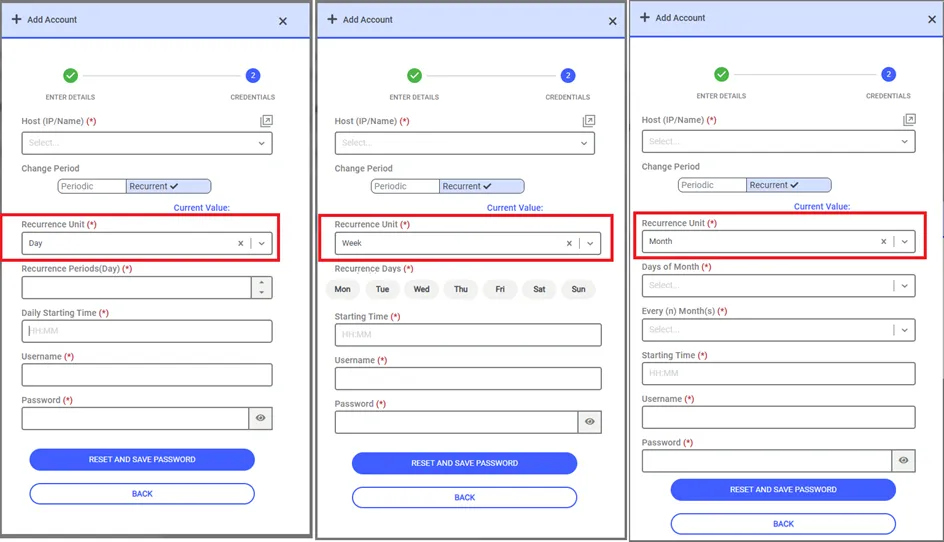
Change Period Recurrent
- If the recurrence unit is week, then all days of the week appear on the screen, and the days on which the password needs change can be selected. It is possible to select more than one day. Additionally, it is possible to define the time of day at which the password is desired to be changed from the Starting Time field.
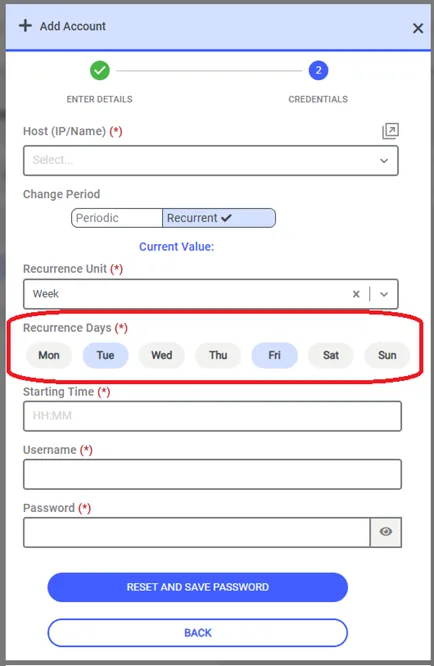
Change Period Recurrent - Week
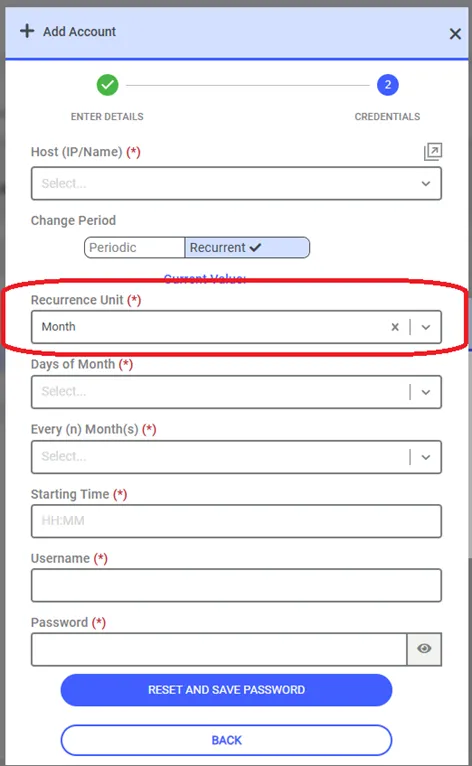
- If the recurrence unit is month, day of the month on which the password is to be changed needs to be selected. After selecting the Day of Month value, it is also necessary to choose how many months need to go by before the next password change is triggered automatically.
- Click Save.
- If a Change Period value is defined in the Vault Configurations screen, when the relevant Configuration is selected in the Vault account definition screen, the parameters defined in the config are shown on the screen and cannot be changed by the user.
- The definitions made from the Vault Configurations screen have absolute priority. If there is a change in the values of a Vault Configuration, the corresponding values of all vault accounts belonging to this configuration will be updated when the first password change job runs. Chiefly, if a Change Period value is defined in Vault Configuration > Miscellaneous > Account Level Properties > Change Period when the relevant Configuration is selected in the vault definition screen, this new Account Level Properties Change Period parameter will be most dominant for new accounts and can’t be changed by users.