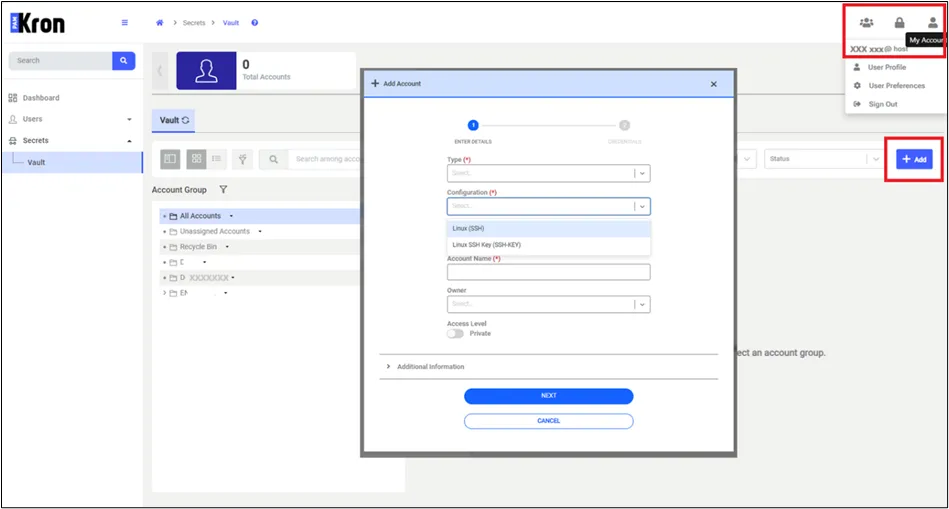
Vault Configuration Realm
Vault configuration realms restrict end users when they are creating Vault accounts, limiting the configurations that can be used or allowing access to specific configurations only. First, a group definition must be completed on the vault configuration screen to indicate which vault configurations can be used by end users.
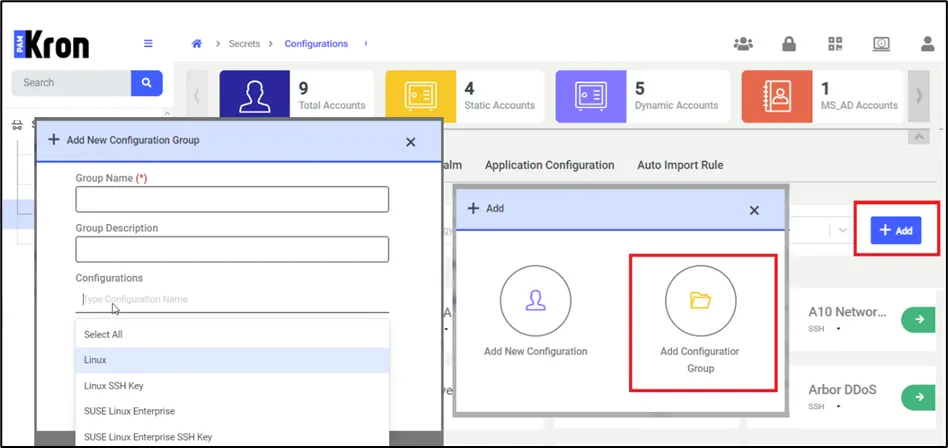
To create a vault configuration group:
1. Navigate to Secrets > Configurations > Vault Configuration.
2. Proceed with the +Add button.
3. Select Add Configuration Group button
4. Fill out the Group Name and Description fields.
5. Select the Configurations in popup
6. Click Save button.
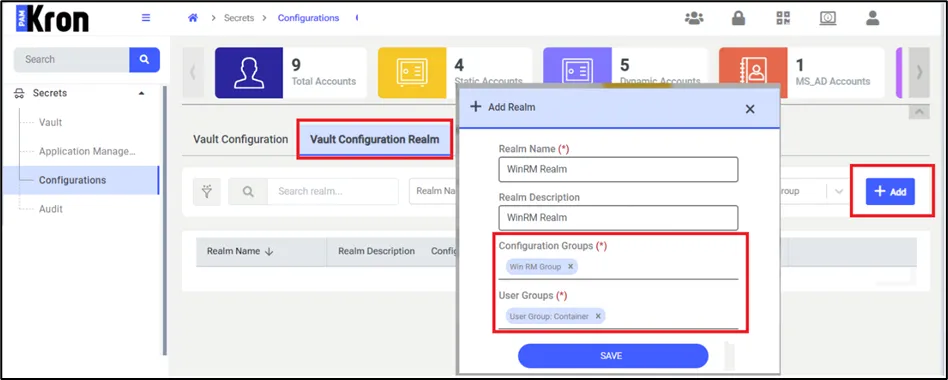
To create a vault configuration realm:
1. Navigate to Secrets > Configurations > Vault Configuration Realm.
2. Proceed with the +Add button.
3. Fill out the Realm Name and Description fields.
4. Select the Configuration Group and User Groups in popup.
5. Click Save.
If this definition is not made, configurations will not be listed on the screen during the Vault account creation, and the users will be unable to add any accounts to the Vault.
After the required values are entered and the Save button is clicked, any user belonging to the user groups belonging in the realm can only see the Vault configurations they share a realm with.