Threat Analytics and Response Dashboard
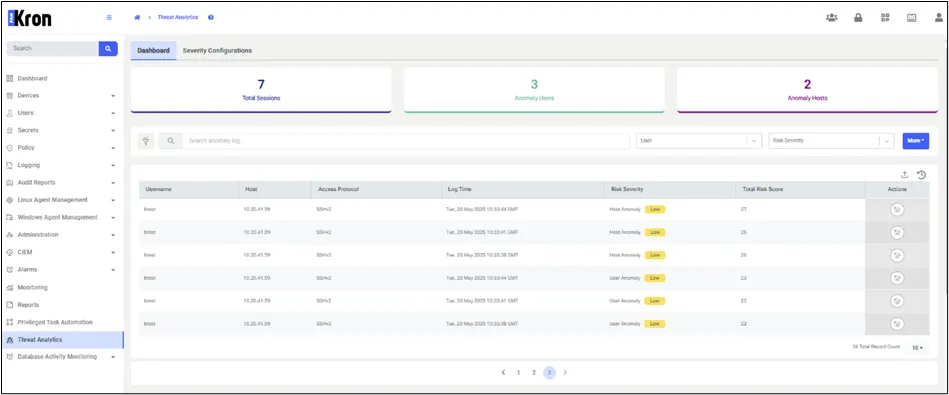
The Threat Analytics and Response Dashboard consolidates analysis results into actionable security insights by presenting all detected threats alongside their associated risk severities. It also enables users to manually execute any required response actions that were not automatically triggered by the configured severity rules.
- Log in to the Kron PAM Web GUI.
- Navigate to the Threat Analytics > Dashboard.
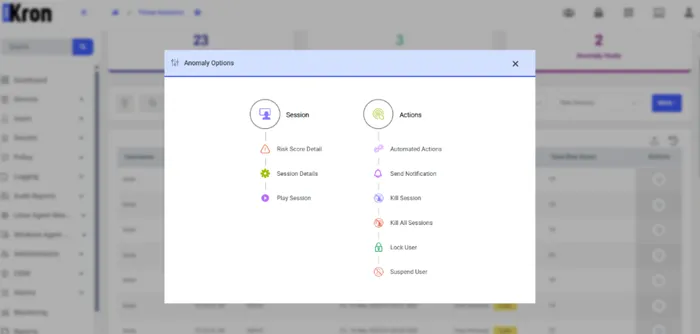
The Anomaly Options menu—available via the actions icon on each anomaly entry—brings together both investigation and response tools in one place. Under Session, users can view the risk score details, inspect the session logs, or replay the session video. Under Actions, the menu displays any automated actions already taken and allows users to manually trigger notifications, terminate one or all sessions, lock or suspend the user as needed.
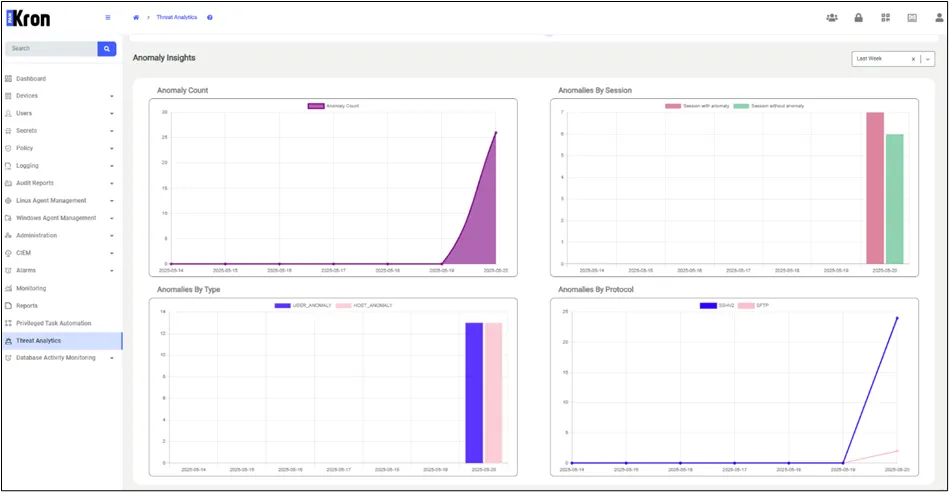
The Anomaly Insights section of the Dashboard offers a consolidated, interactive overview of all detected anomalies over the chosen time frame. By adjusting the time range, users can see how anomaly volumes evolve day-to-day, understand the proportion of affected sessions, and observe shifts in anomaly categories and protocols at a glance.
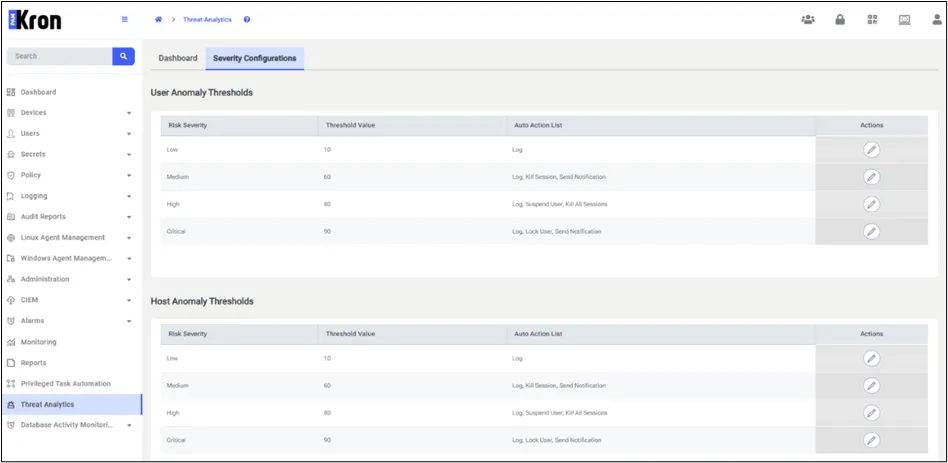
The Severity Configurations tab provides access to threshold settings that define risk severity levels and options for adjusting the automated response actions.