Schedule Discovery
Aside from manual discovery, a scheduled discovery can also be configured:
- Navigate to Sensitive Data Discovery.
- Select the Discovery tab.
- Click Add.
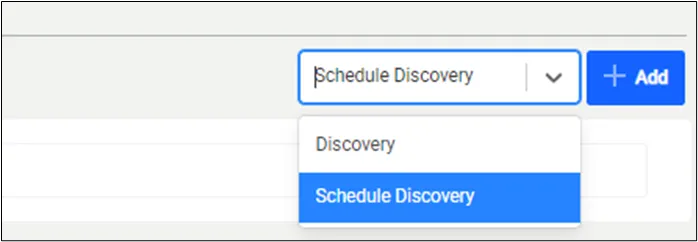
- Fill in the Discovery Name, Description, and Cron Expression.
- Select the Database, Schema, Table, Pattern, Sample Data Count, Expected Matched Percentages, and Thread Count.
- Click the Save Scheduler button.
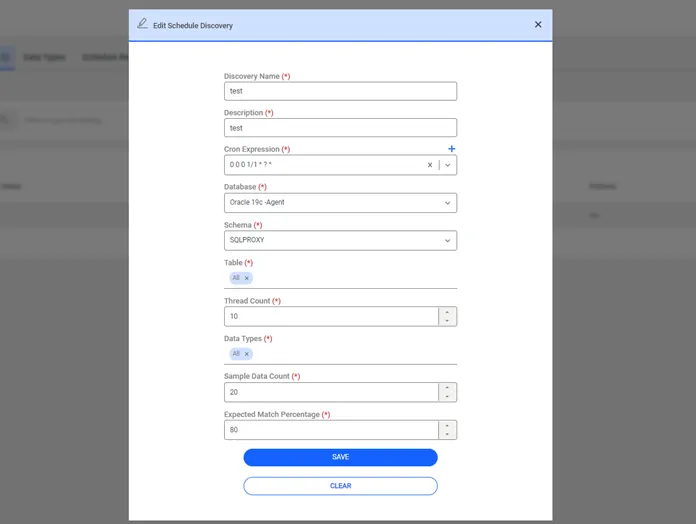
Schedule Data Discovery
To execute the scheduled discovery, the SDD schedule job must be defined:
- Navigate to Administration > Jobs Scheduler.
- Open the Trigger List tab.
- Click Add.
- Give a name for the trigger and select SDDSchedule as the Job.
- Fill in the Trigger Name and Cron Expression fields.
- To enable the job, select Enabled in the Active field and click Save.
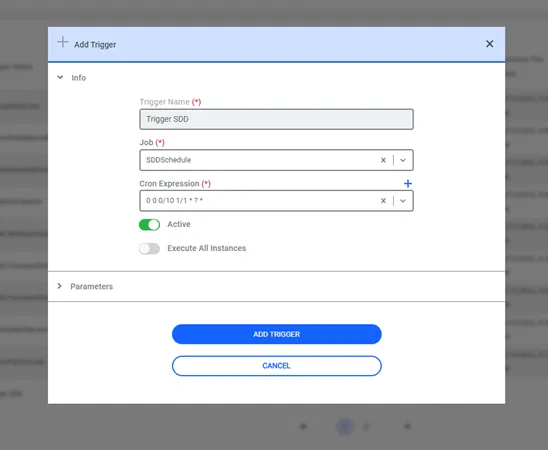
Add Trigger
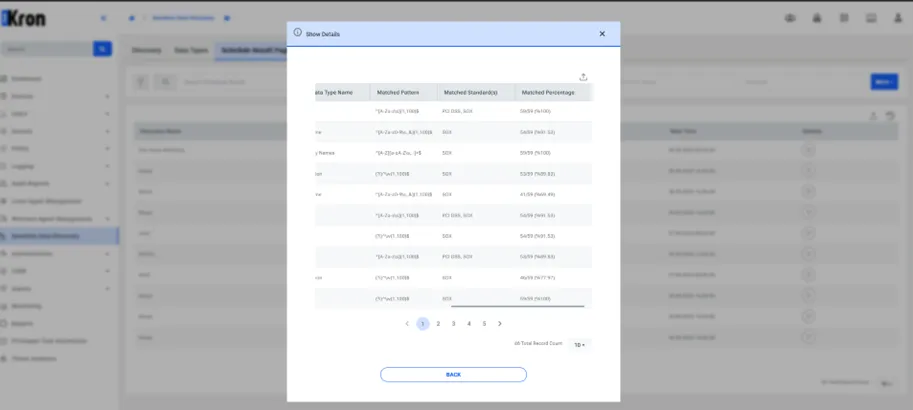
When the scheduled discovery is completed, discovery results are shown in the tab called Schedule Result Page > Options > Show Details.
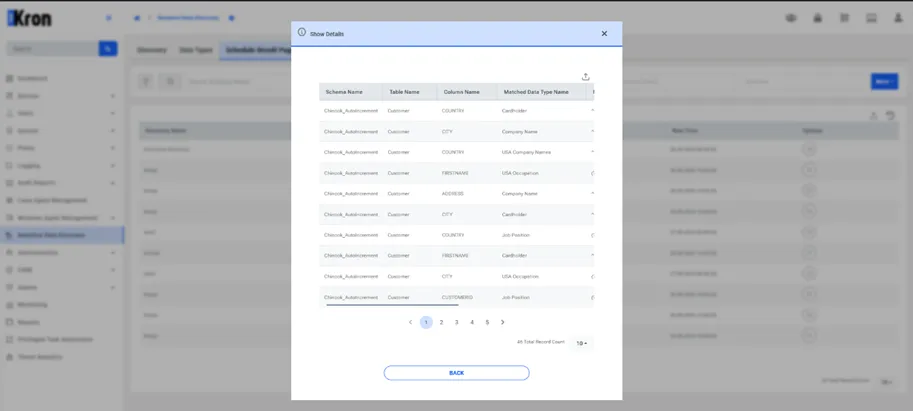
Schedule Data Discovery Results
A discovery summary can also be viewed. Click the Show Summary button from the Options.
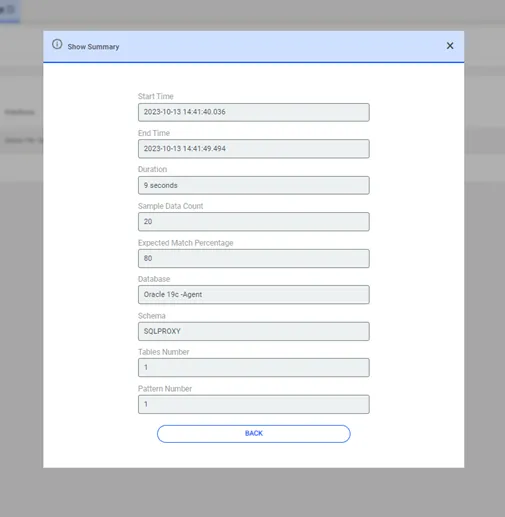
Schedule Data Discovery Summary