Reset Account Password
Sometimes the administrator of the platform may want to block access for users who have the account password, or the user who used the password may want to release it for another person’s use. In both cases, the password can be reset using the Kron PAM web GUI. To reset the password:
- Navigate to Secrets > Vault.
- Open the Vault tab.
- Go to the Account Actions menu of the Vault account whose password you want to reset.
- Select Reset Password.
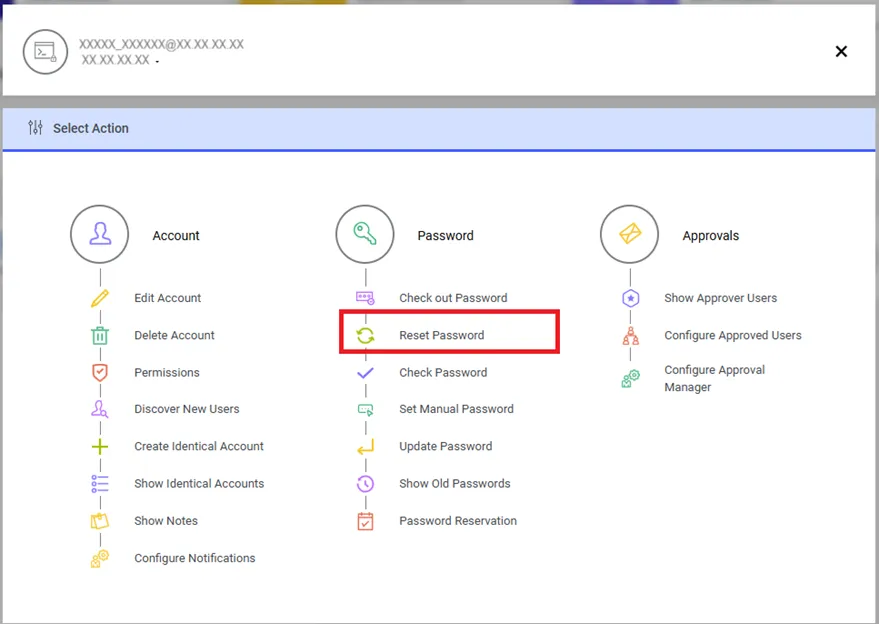
Resetting the Password
- Click Continue.
- The dynamic accounts’ password is reset by the Password Vault.
- Since there is no password change in static accounts, the password reset action is hidden.