RADIUS Account Logs
Kron PAM is also used for RADIUS authentication for network devices. All accounting logs created during the session can be viewed in the RADIUS Account Log menu, along with the user, host IP, hostname, command run, host post type, client IP, and log time on list information.
To access the RADIUS Account Logs:
- Navigate to Logging > RADIUS Account Log.
- Fill in the fields to filter and click the Search button.
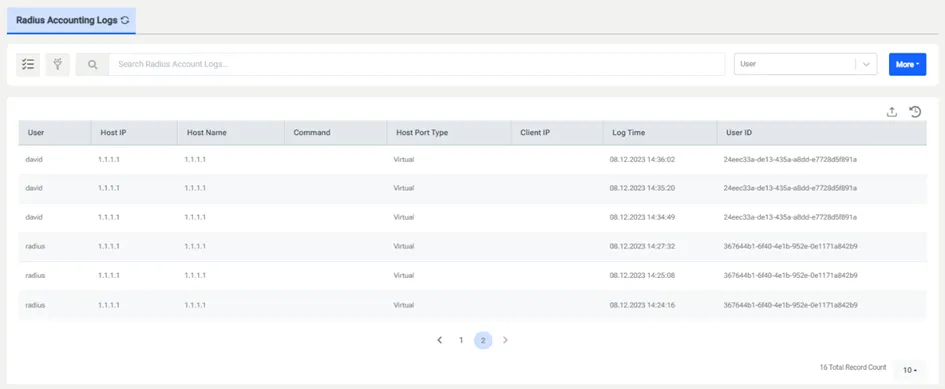
RADIUS Account Logs
The More button can add extra filtering columns to the screen. When the button is clicked, more than one value can be selected from the popup. The selected columns will be added to the screen in order and filtering can be done according to the values entered by the user.