Policy Key Creation
Policies determine what a user is able or unable to do during a device connection of any kind. In the context of an SSH connection, such policies can be White Keys or Black Keys. White Keys permit users to use the White Key commands, and Black Keys block users from using Black Key commands.

Policies are created based on Regex Classes:
- .* means all commands.
- If “.*” is used after a command, it means all commands starting with that command. (example: cd.* means "any command that starts with cd")
The table below shows some of the Policy Key types that can be defined from the Kron PAM Web GUI.
Policy Key Types | Definition |
|---|---|
Black Key | Restricted commands. |
RADIUS Attribute | Allowed RADIUS attributes. Ex: cisco-avpair := shell:priv-lvl=1 |
TACACS Attribute | Allowed TACACS attributes. Ex: priv-lvl=15 |
User Behavior Rating | Commands that change the behavior rating of a user. If a user who is allowed to run commands with sudo abuses this authority and runs too many commands starting with sudo, the rating will eventually cross the threshold and this policy key will block the execution of commands starting with sudo. |
White Key | Allowed commands. |
XML File | XML file that contains context-aware policies. |
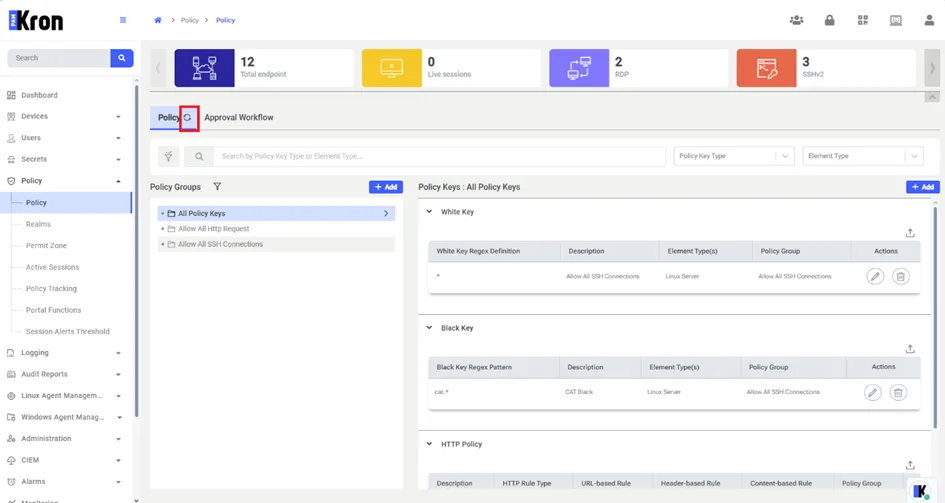
To create a policy with White or Black keys: Navigate to Policy > Add.
- To create a White Key Policy:
- Select the Type as White Key, click Next, then fill in the mandatory fields. (Key Regex Pattern, Element Type(s))
- Click Save.
- To create a Black Key Policy:
- Select the Type as Black Key, click Next, then fill in the mandatory fields. (Key Regex Pattern, Element Type(s))
- Click Save.
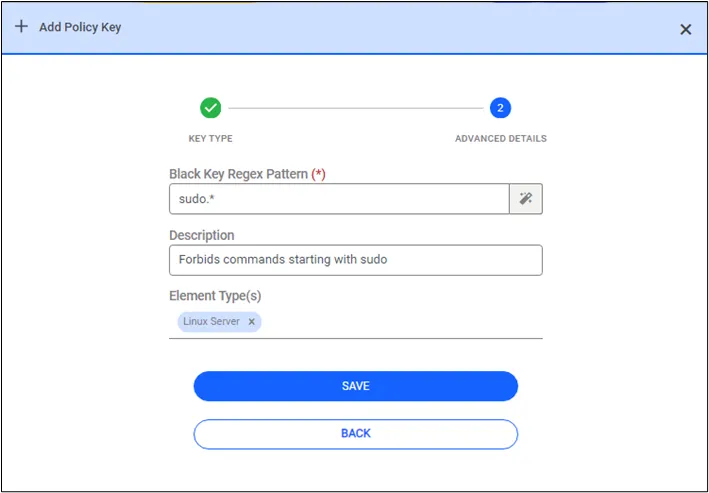
The Command Pattern Generator button that appears next to the key regex pattern field when you fill the input field can help create these regex statements.
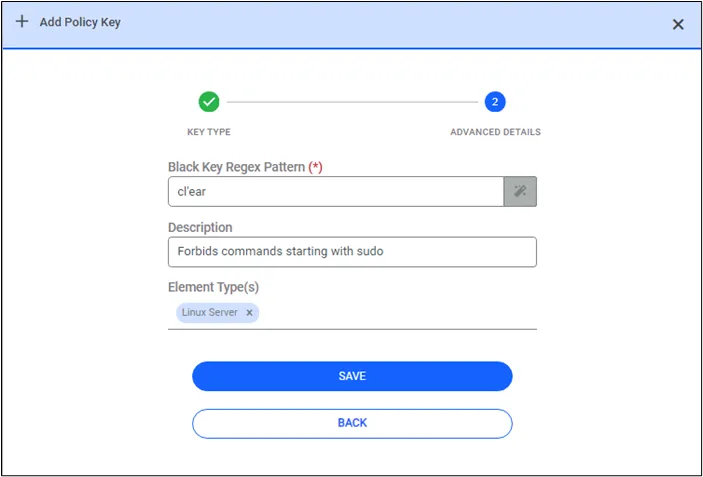
For example, input the desired command into the field, denoting the auto-completion point with a “ ‘ ” (single quote) character. Click the button to create the regex statement. The “auto-completion point” is the point in a command string where hitting TAB completes the remainder of the command. In this example, the auto-completion point for clear is cl. This means hitting TAB after typing cl will complete the command to clear the CLI screen.
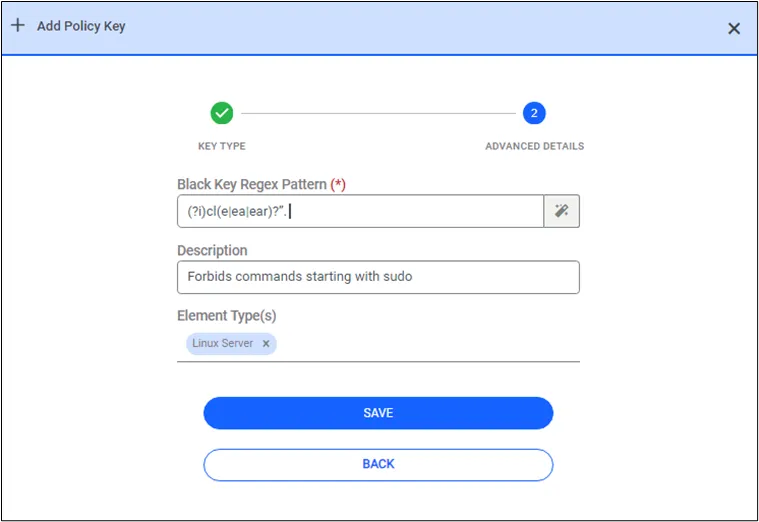
The regex statement created for the above example can be seen in the figure below. Since the auto-completion point with a single quote character was between l and e (cl’ear), the regex statement is created as (?i)cl(e|ea|ear)?. Therefore, hitting TAB on the keyboard after typing cl will be enough to complete the clear command on the terminal.
All users have an ubaThreshold value on their user property, which can be viewed from the User Accounts page. The default value of ubaThreshold is 50. User Behavior Rating works as a grey key command. When a policy key is defined with the User Behavior Rating type, a Rate field appears for admin users to set the value.
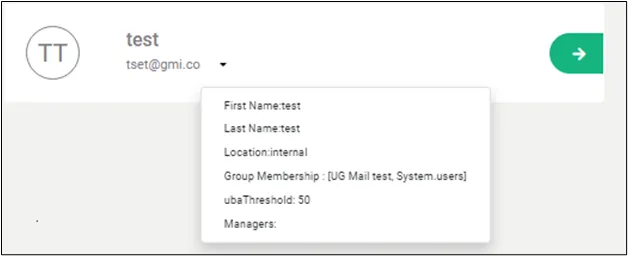
Let’s define a date command as an example.
As shown in the figure below, select the Type as User Behavior Rating, enter the Rate as 20 and then associate this date policy key with a device realm. After that, whenever a user, who is assigned this policy, executes the date command, the user will gain 20 points. If the same user executes this policy three times, the user gains 60 points and, as such, will exceed the 50 default value of the ubaTreshold property. At this point, the date command becomes a black key for this user, meaning that the user will no longer execute the date command.
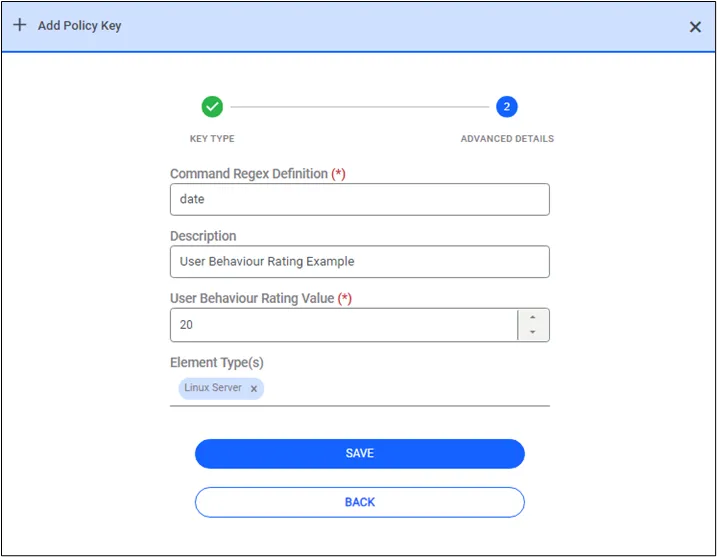
By default, white key commands are prompted at the beginning of the SSH session. If you want to hide the list of white keys shown at the beginning of the session by default, the following definition should be made.
- /pam/ssh/conf/nsso.properties file:
- sc.policy.list.whiteKeys=false (default value is true)
To prevent white and black policies from being listed on the screen during a session, set the “disableDumpPolicyKey” parameter to true for the relevant user group. When this parameter is enabled, users in that group will not see the policy lists on the screen during the session.
- Open Users > User Group > Custom Properties > Add Parameter
- Set disableDumpPolicyKey as true.
If sc.policy.dump=false is set in the nsso.properties file, the policy list display feature will be disabled for all users.
- /pam/gui/netright/netright.properties
- sc.policy.dump=false
The refresh button added to the policy screen allows the screen to be refreshed without exiting the screen.When this button is clicked, the screen will be refreshed and all defined policy records will be listed on the screen.