Managerial Approval for RDP Proxy Connections
Privileged users’ RDP connections to target devices can be subjected to managerial approvals before establishing the connection.
To enable managerial requests and approval via email for users connecting to devices, the Require Managerial Approval property must be set as true on the device group with the target devices.
Refer to the Managerial Approval for Connections section for additional details.
To configure Managerial Approval for RDP connections:
- Navigate to Devices > Inventory > Device Groups.
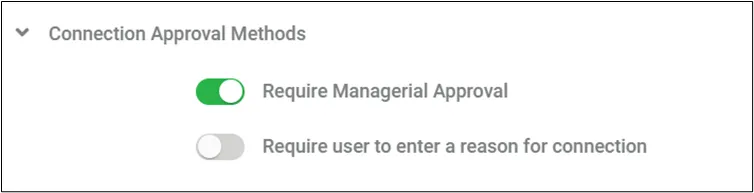
- Select the device group and select the Connection Approval Methods option.
- Set Require Managerial Approval as true.
When the Managerial Approval feature for a user is enabled, an approval request email is sent to the group manager. For each attempt, a new approval email is generated and sent to the manager.
A parameter can be configured to limit the amount of emails sent to the manager, for each repeated connection attempt. For example, let‘s assume this parameter is set to 300 seconds and a user attempts to connect a device more than one time in five minutes - only one email approval request will be sent to the manager. If you would like to have only one email to be sent for each connection attempt, the default value of this parameter (”0”) can be used.
- Navigate to Administration > System Config. Man. > Add New System Parameter.
- Add the parameter below: aioc.approval.email.timeout = 0 (default value is “0” and the value label is in seconds)
- After the parameters are set, restart pam- by establishing an SSH connection to the Kron PAM server and running the command: systemctl restart pam-gui