Log in to the Remote Application with a Vault User
When configuring the login to a remote application with a Password VaultVault account, the definition of an IP address is mandatory and can be selected from a combo box, meaning it has to be selected from among the devices already added to Kron PAM. The IP address is the target device’s IP address and should match the Device IP configured in the Auto login screen for the Vault account to be seen on the auto-login screen to the target application. To use this account for remote app auto login, assign this credential to the session account. For more information, see Assigned Credentials.
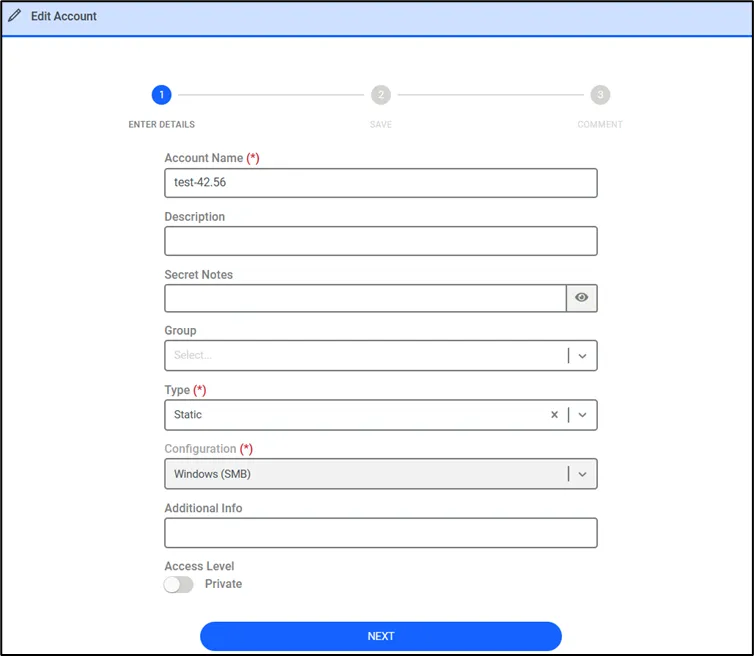
Sometimes more than one device per user is kept in the Vault. In such cases, the user to be used while logging in to the remote application should be identified. The following figure shows the Vault account configuration for remote application login.
As mentioned, Vault accounts can also be assigned to session users to automatically log into remote apps. Vault account strategies are important for user listing when using the Allow Assigned Credentials option. The diagram below shows how remote app user listing is affected when a Vault account is assigned to a session user.
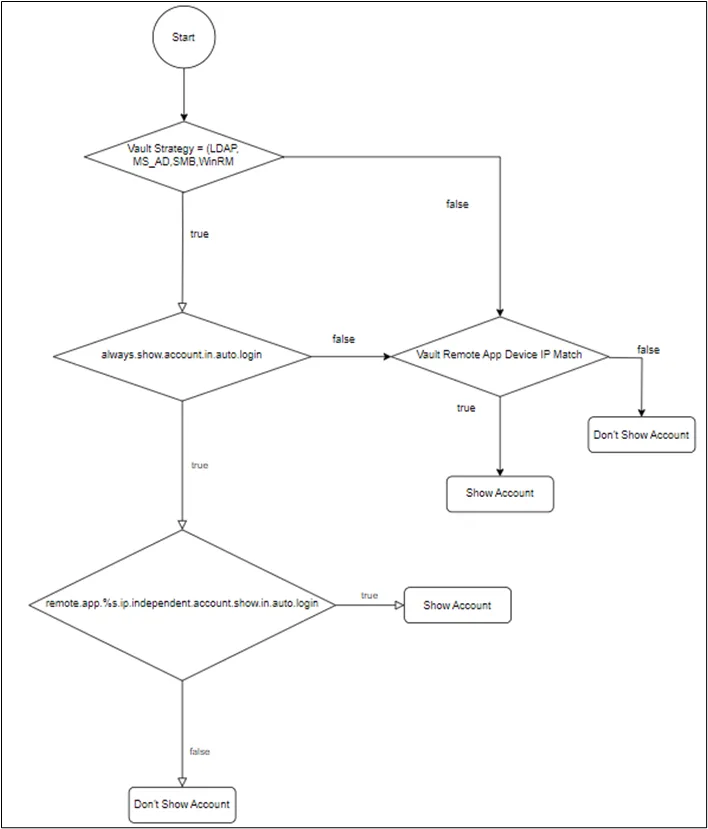
The always.show.accounts.in.auto.login parameter shown in the diagram above is a Vault configuration parameter. For more information, see Adding Vault Configurations.
The remote.app.%s.ip.independent.account.show.in.auto.login parameter is a configuration parameter on the Remote App auto login page. This parameter can be selected when an assigned credential is used. According to the flow in the diagram above, if the always.show.accounts.in.auto.login parameter is set as true and we check this parameter, the account is shown on the Remote App Auto login user list without checking the IP match.
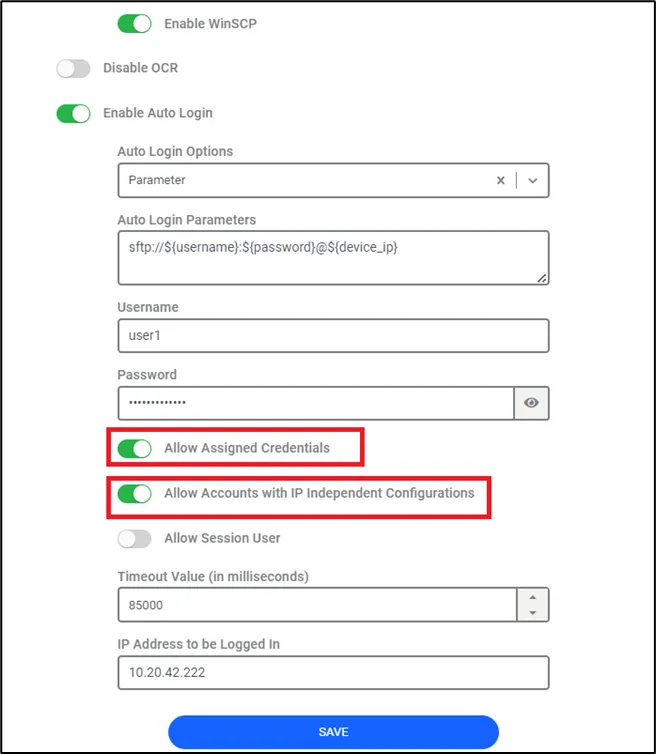
Assigned Credentials and Time Restrictions in Remote Applications
When a user is assigned an account via assigned credentials and attempts to log into a remote application, the availability of the account depends on the time parameters set in the assigned credentials. Here's how the behavior is determined:
Account Listing Based on Assigned Credential Time
- If the login attempt to the remote application occurs within the time frame specified in the assigned credentials, the account will be listed among the available accounts for login.
- If the login attempt occurs outside of the assigned time frame, the account will not appear in the list of available accounts for the remote application.
Session Behavior When Assigned Credential Time Expires
- Active Session Management
- Timeout Warning Notification
By configuring these parameters, administrators can control both the visibility of accounts based on assigned credential time and the session behavior when the assigned time expires. Parameters are defined in System Config Manager.