Importing Unknown Domains as Bypass Domains
Some pages may contain resources in other domains. In such cases, these external domains must be defined as accessible through the HTTP proxy to display these web pages correctly.
To add these domains as bypass domains, please refer to the Auto Login Configuration section.
You can also follow the steps below to add these external domains in an easier-to-use way.
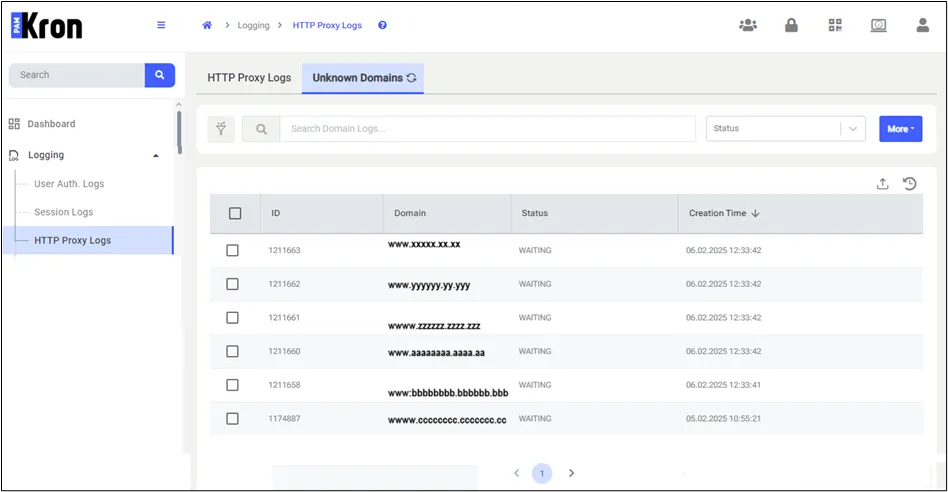
Adding unknown domains as bypass domains
- Edit the Domains field (adding “*.” at the beginning of the domain is a good idea, since many bypass domains can be subdomains that first require access to root domains, and respond when a request is sent to the root domain).
- Select the Element Type, and click the Add to Bypass Domain button.
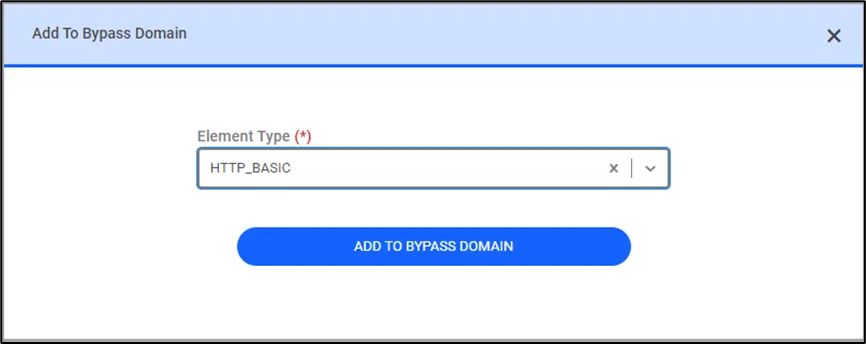
Add to bypass domain
- Open an SSH connection to the Kron PAM Server.
- Restart the HTTP Proxy by running the following command: sudo systemctl restart pam-http
Try going to the webpage through the HTTP Proxy again, and the resources from external domains will be loaded correctly.