HTTP Proxy Logs
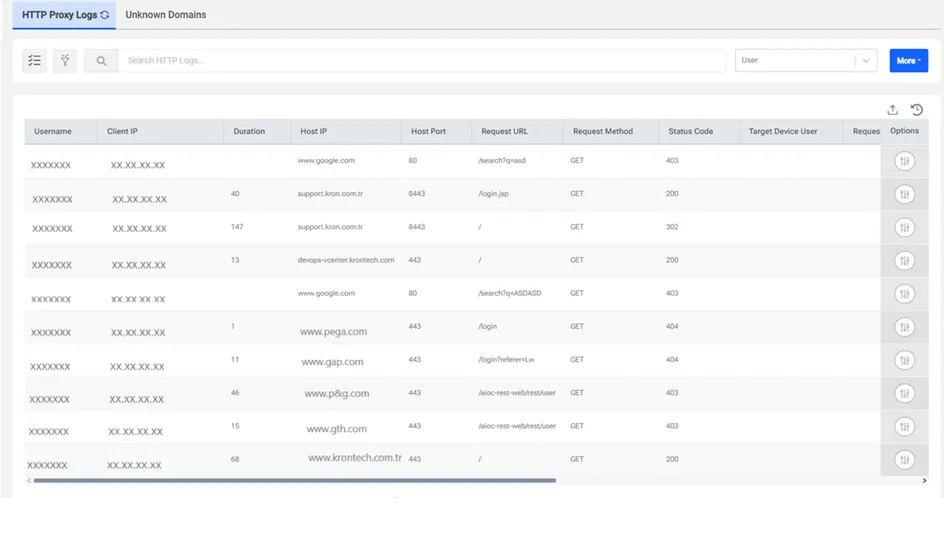
HTTP policies can be classified with Allowed, Denied, and Filter Log criteria. All Denied criteria are logged indisputably. HTTP Proxy checks if Allowed criteria are configured in the Filter Log. If they match the Filter Log, they will not be logged. If there is a match, they are logged in the HTTP Proxy logs. To view the logs:
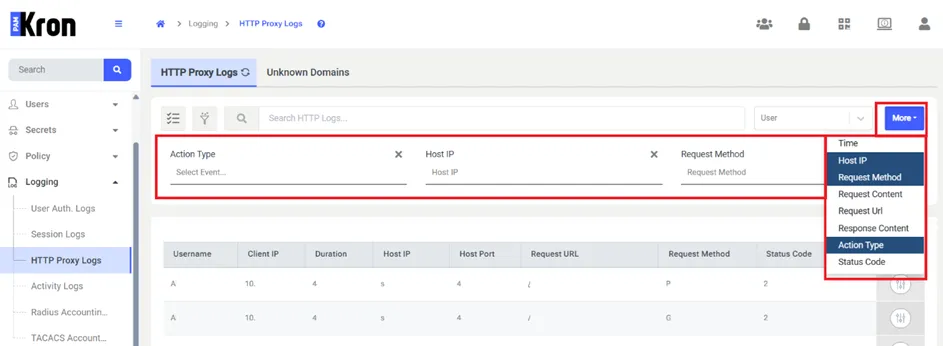
- Navigate to Logging > HTTP Proxy Logs.
- Enter the search criteria and search for logs.
All HTTP requests, responses, headers, and content sent and received during the session are logged indisputably.
HTTP Proxy Logs
The More button can add extra filtering columns to the screen. When the button is clicked, more than one value can be selected from the popup. The selected columns will be added to the screen in order and filtering can be done according to the values entered by the user.