Editing User Groups
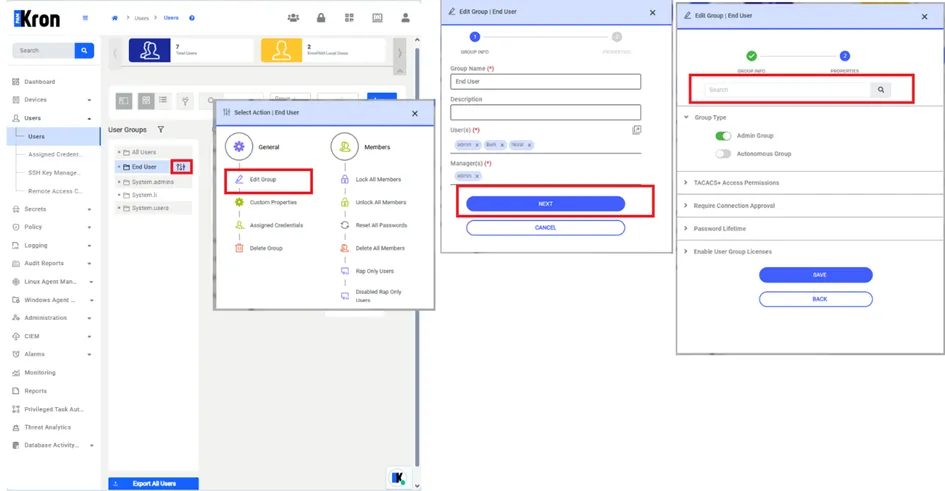
To edit a User Group or to add a member to a User Group:
- Navigate to Users>Users
- Click on the action menu of the relevant user group on the left side.
- Select Edit Group.
- Select and add additional users, or edit other info for the User Group.
- Click Next and Save.
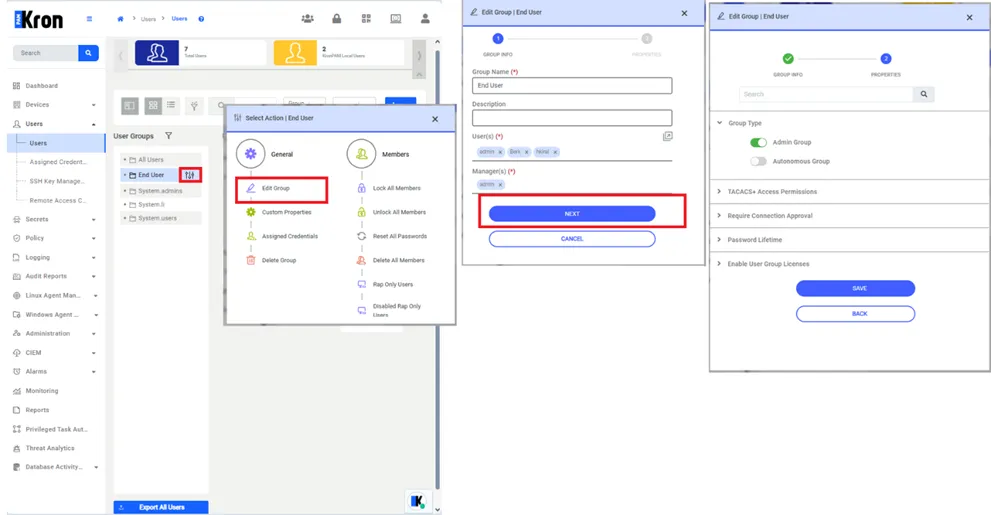
A search feature has been added to the group property editing modal to help search within the group properties.
To search among user group properties:
1. Navigate to Users > Users. 2. Select the User Group, then proceed by clicking the User Group Actions button. 3. Click on the Edit Group button. 4. Navigate Next button 5. Fill out the Search field then click search button.