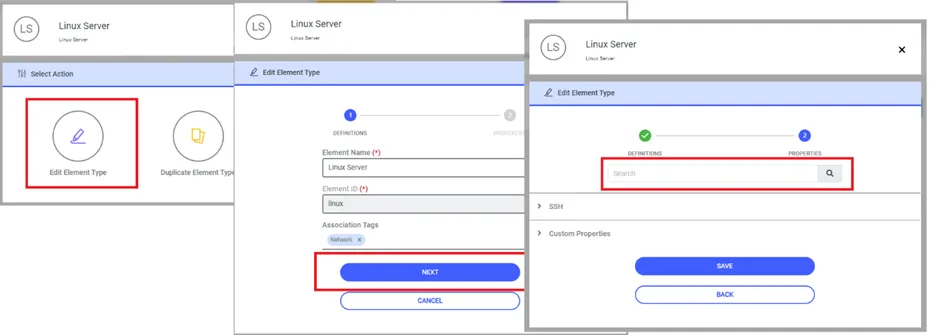
Edit Element Type
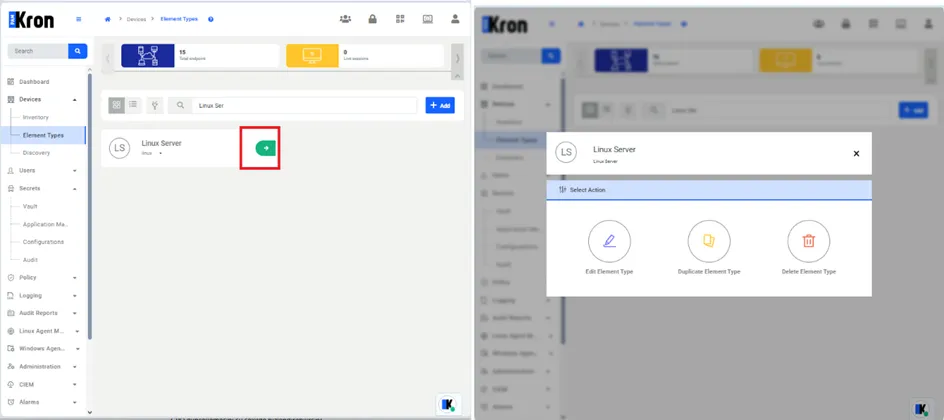
To make changes to an element type defined in the system, select the relevant Element Type value and clicked the green arrow button on the screen. This will open a panel on the screen with three buttons. The names of these buttons are as follows.
· Edit Element Type
· Duplicate Element Type
· Delete Element Type
A search feature has been added to the screen to search within the Element types defined in the system by users.
To search Element Type :
1. Navigate to Devices > Element Types. 2. Select the Element Type, then proceed by clicking the Actions button. 3. Click on the Next button. 4. Fill out the Search field then click search button.