Creating GCP Accounts
- Navigate to Administration > Cloud Integration.
- Click Add.
- Set the following fields:
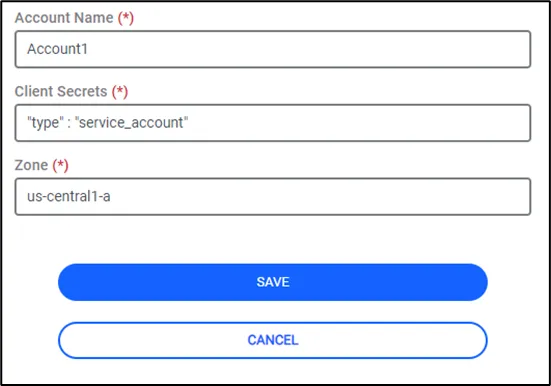
GCP Accounts
Account Name: Set an Account name for the Google Cloud Platform (GCP) Account to be used to import devices.
Client Secrets: Use the Service Account key JSON file as the client secret. Copy the entire contents of the JSON key file—including the project_id, client_id, and all other fields—and paste it into the Client Secret field. The full JSON content must be provided exactly as generated.
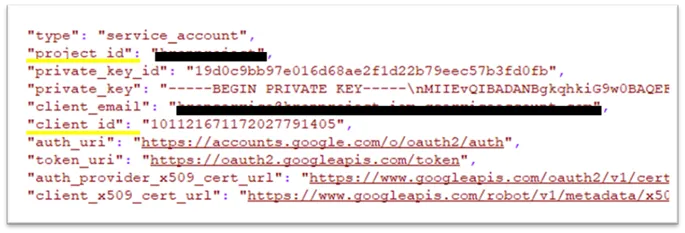
Client Secrets Example
Zones: The GCP zones the devices are in (Multiple resource groups should be added with a comma (,). Ex: us-central1-a, us-central2-a).