Configuring Element Types
It is necessary to define a new Element Type for each OS type, for Kron PAM to be able to auto-detect.
Examples: CentOS Linux, Ubuntu Linux, etc.
Follow the steps below to import AWS devices, having a specific OS created for each specific Element Type for that OS (The example below applies to CentOS).
- Navigate to Devices > Element Type.
- Create a New Element Type.
- Add AWS tag.
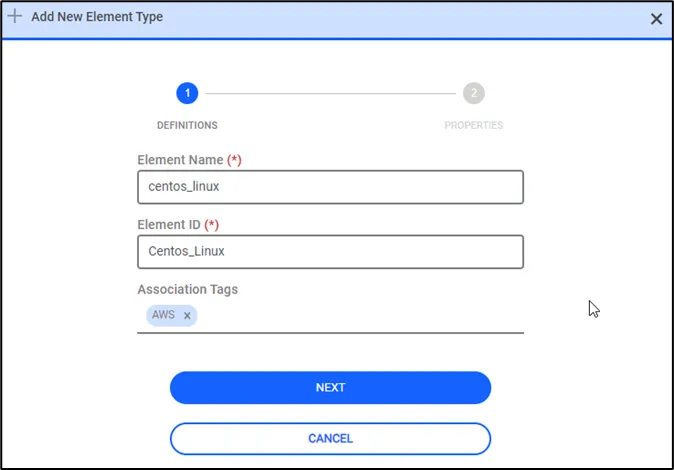
- Click the Next button of the related element type.
- Fill these Element Type properties, so that Kron PAM can identify the OS of the discovered instances. Aws Element Type Pattern, Aws Access Protocol, and Aws SSH Username properties.
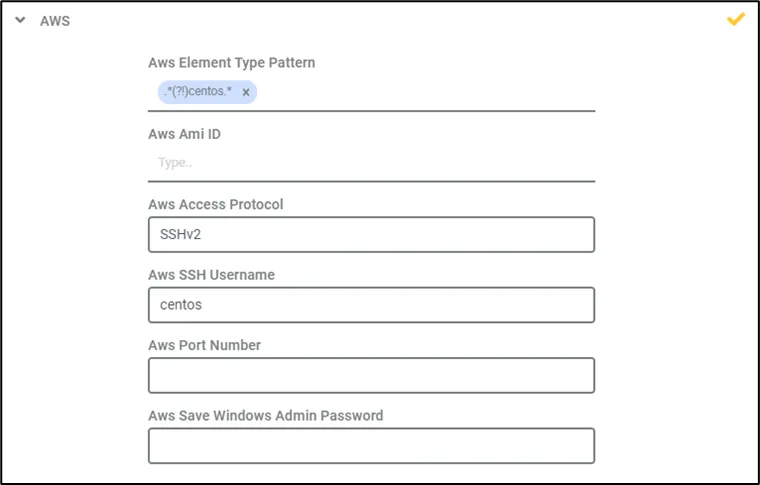
Field Name | Parameter Value |
|---|---|
Aws Access Protocol | Mandatory. This property is used to determine the default access method for the discovered instance. |
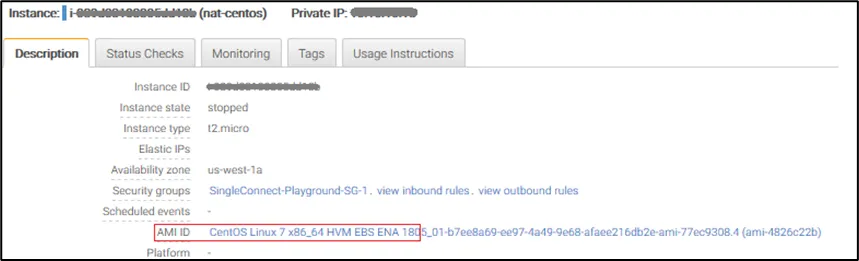
Aws Element Type Pattern | Mandatory. One element can have multiple patterns. This pattern is checked against the “AMI ID” description of the instance, to determine the OS type. |
Aws SSH Username | Mandatory. This username is used as the default login credential. |
Aws Port Number | Optional. Devices are imported with the defined port number value. If this value is not set, a default port number is used, such as 22 for SSH. |
Aws Ami ID | Optional. Exact AMI IDs should be defined. This property can be defined as multiple in one element. If this value is set, the exact AMI ID match is checked before the element type pattern (device.import.aws.element.type.pattern) matches, when attempting to import devices. |
Aws Save Windows Admin Password | While importing Windows devices from AWS, the usernames and passwords will be retrieved from AWS by using a private key for zero-touch onboarding. If the parameter is set as “true”, the credentials are stored in the “AdminCredentials-<$publicIPofdevice>” SAPM. If this value is not set, the default value is “False” |
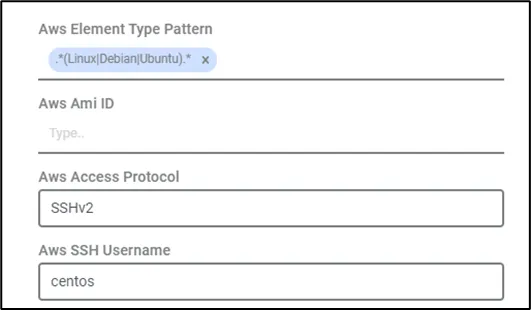
Current element types can also be used instead of creating new element types for each device type. The Element type pattern should be set as the desired types like “Linux|Debian|Ubuntu”.