Cluster Device Command Check
It is possible to configure Kron PAM so that specified commands cannot be executed on the same cluster of devices for a certain period of time (see Policy Groups Creation for more).
To perform these operations; a policy key must be created as a Black Key.
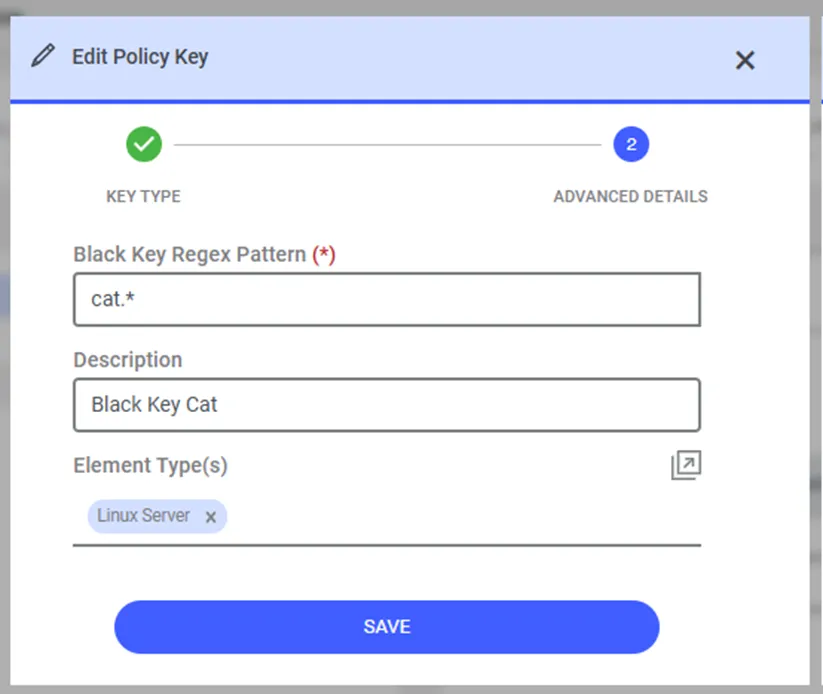
1. Navigate to Policy > Add Policy Key. 2. Select the Policy Key Type as Black Key. 3. Click Next button. 4. Add the Command that will be blocked for a certain period of time on devices that are clustered to the Black key Regex pattern field on the screen. 5. Enter a name for the Black Key you created. 6. Select which Element Types it will be valid for. 7. Click Save button.
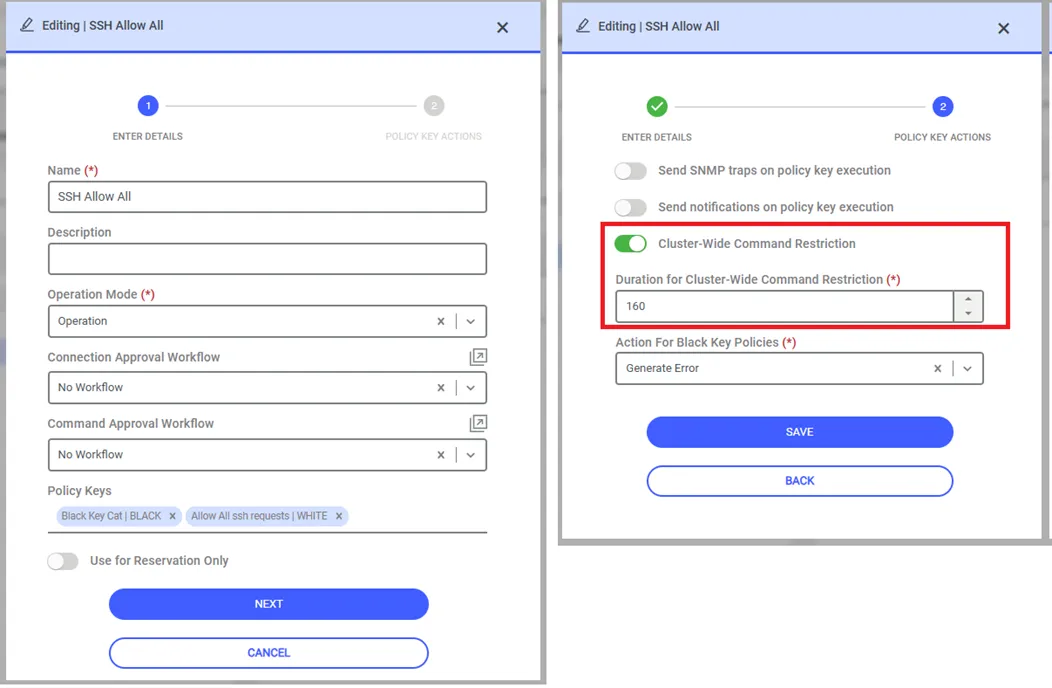
The defined Policy Key should be assigned to a Policy group
1. Navigate to Policy > Policy Group. 2. Navigate to the Policy Group field then click on the Add button. 3. Fill in the mandatory fields: * Name, * Operation Mode, * Select Policy Key(s), * If the policy group will have a Connection or Command Approval, select relevant fields. 4. Navigate Next Button. 5. Activate the Cluster-Wide Command Restriction switch. 6. Enter duration as seconds to Duration For Cluster-Wide Command Restriction. 7. Select Action for Black Key Policies and click Save.
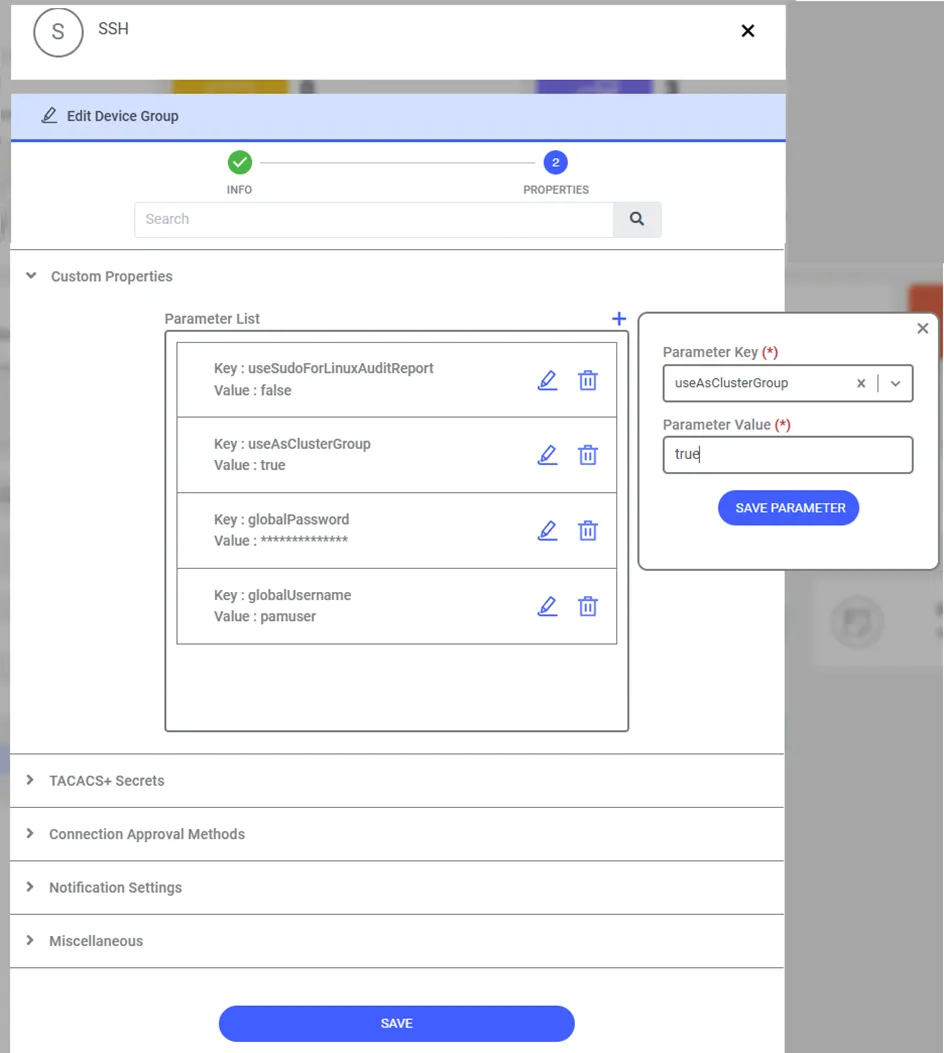
After the policy definition, the parameter setting which cluster device group this rule should be applied to must be defined in the Device Group. Relevant parameter should be following screen.
1. Navigate to Devices > Inventory. 2. Select the Cluster Device Group for which you want to restrict the command from running on which devices for a predefined period then click Edit Button. 3. Navigate the Next button. 4. Extend the Custom Properties tab. 5. Click Plus button top of the Parameter List then select or enter below parameter: Parameter Key: useAsClusterGroup Parameter Value: true