Adding Dynamic Configured Static Accounts in Password Vault
Authorized users can add target devices' privileged users as Password Vault accounts. When adding a Password Vault account, Kron PAM establishes a connection to the target system, and stores the password in the Kron PAM database after encrypting. To add a Dynamic Configured Static Account:
- Navigate to Secrets > Vault.
- Open the Vault tab.
- Click the Add Button and select Add Account.
- Enter the Type (Static), Account Name, Description, Group Name, Host (IP/Name), Private, Owner, Additional Info, Username, Password and Configuration. (Configuration is the type of target system device. Kron PAM has pre-defined configurations for Password Vault, but any device configuration can be added from the Configuration page. This is detailed in the upcoming sections)
- Click Save.
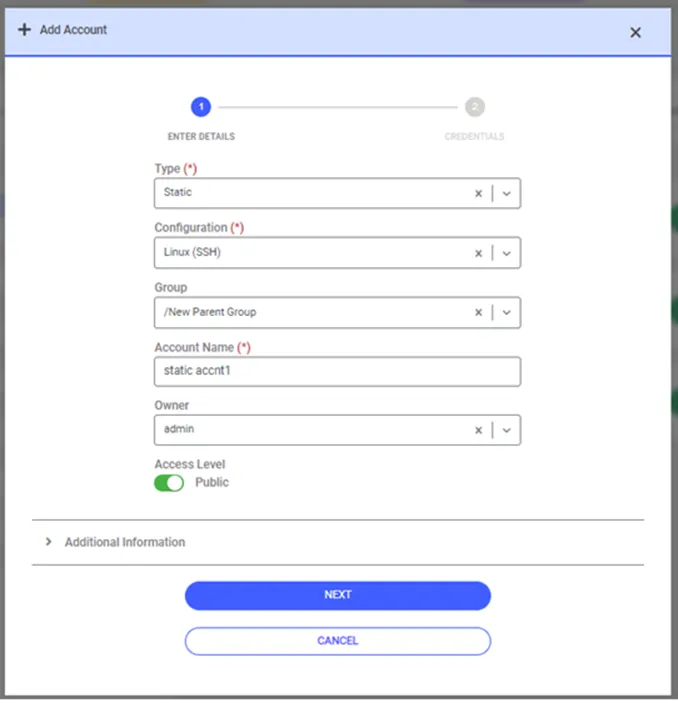
Adding Dynamic Configured Static Accounts