Access On Behalf Of Feature on Tenant Environment
The On Behalf Of feature enables the management of tenants via SSO. When a tenant is created in a multi-tenant environment without this feature, the tenant admin has to create some users on the tenant environment, or integrate with LDAP, to give those users some rights for management purposes. Administrator users have to create these other users for each tenant, which is undesired and unmanageable.
Using the On behalf of feature, the tenant can easily be managed with only one administrative account. The Administrator will only have one user on the host system and be able to switch between different tenants to manage them when defining the necessary rights on the tenant side.
To enable this feature:
- Navigate to Administration > Tenant Manager.
- Click the tenant's logo.
- At the bottom of the pop-up, slide the toggle to the right to enable access On Behalf of The Tenant.
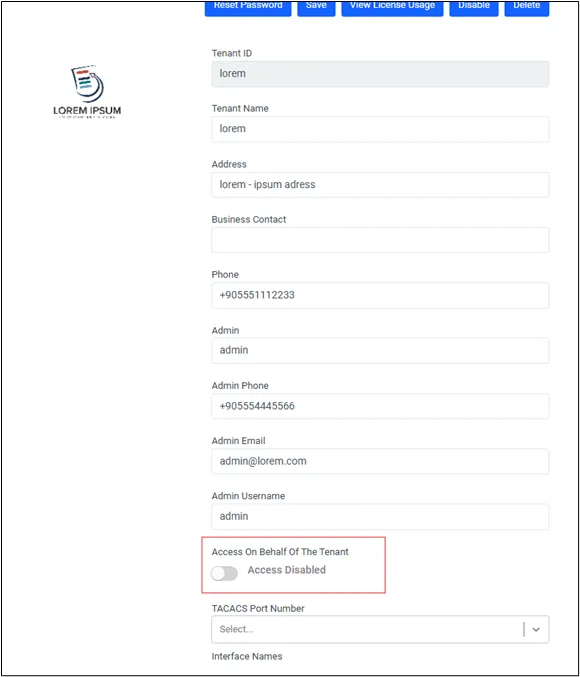
After enabling this feature for the tenant, the host admin who manages the tenant needs the necessary rights on the tenant system. Please refer to the User Management for details on how the tenant admin assigns host admin rights.
aioc.hide.on.behalf.of.tenant.switch system config parameter is used in both non-host and host tenants for hiding the tenant-to-switch feature if the parameter is set as true. The default value of this parameter is false, which means that until this parameter is set as true, the access on behalf feature is used as in the usual scenario.
This parameter also affects the Desktop Client for the tenant switch feature.