VMware Integration
Bulk importing devices into Kron PAM via VMware simplifies device management and enhances operational efficiency. This method eliminates time loss associated with manual processes, providing a fast and effective solution.
To integrate devices from VMware into Kron PAM:
- Navigate to Devices > Element Types.
- Edit the VMware ESXi category in Element Types.
- Select the VMware association tag to match the device.
- Enter the VMware Access Protocol (e.g., RDP, SSHv2) and the VMware Element Tag Value (save the assigned tag, which is a list of tags assigned to a device in VMware, e.g., os_windows|os_winserver).
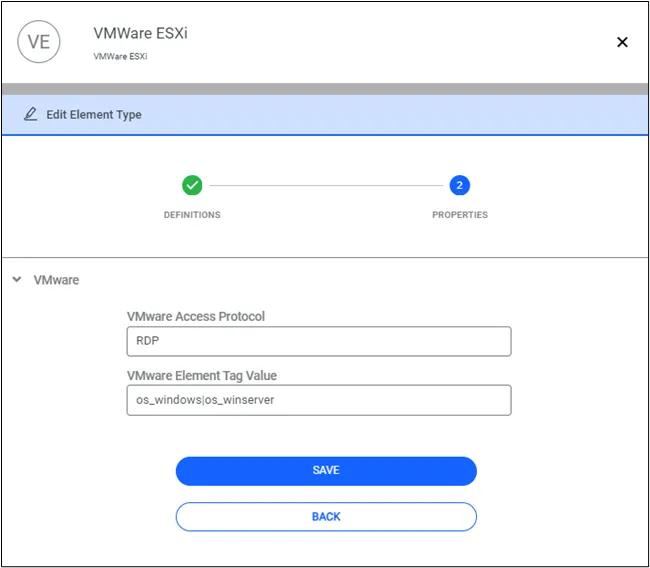
Setting VMware Tag
- Set the tag.vmware-tag custom properties for a specific device group (e.g., tag.vmware-tag=office-istanbul).
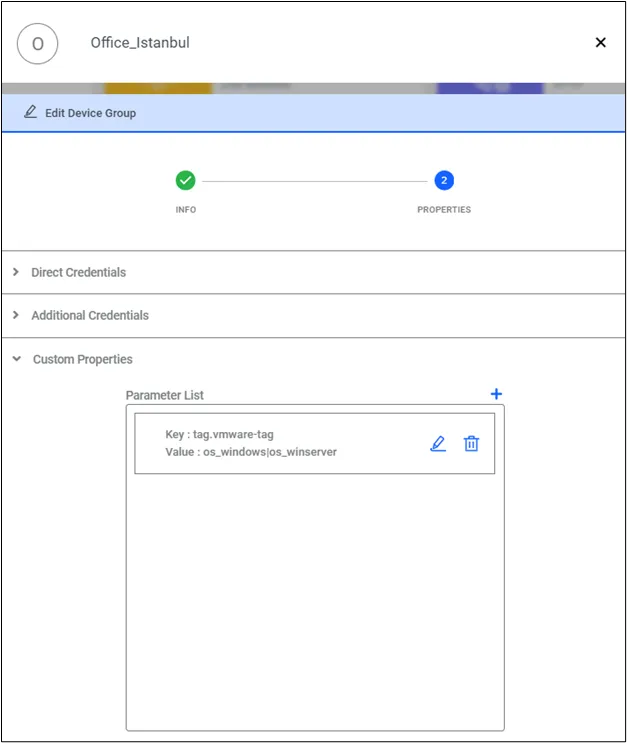
Define property key for device group
- Configure the /etc/hosts file for VMware DNS settings.
Next:
- Navigate to Administration > System Configuration Manager > VMware Integration.
- Select the action Add VMware.
- Enter the hostname, username, and password.
- Save.
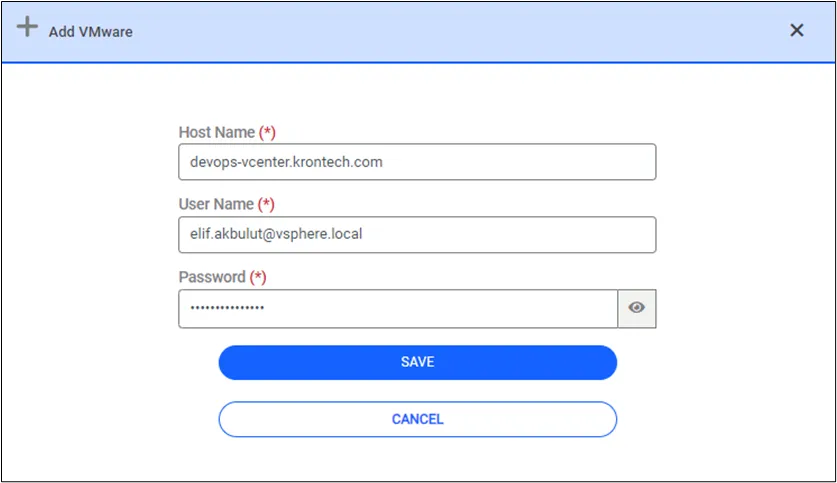
Add new VMware
- Click on Synchronize All action.
- Once completed, all VMware devices within the assigned tag will be imported into Kron PAM in bulk.