User Settings to use SSO
Create a user that will connect to the target database with SSO.
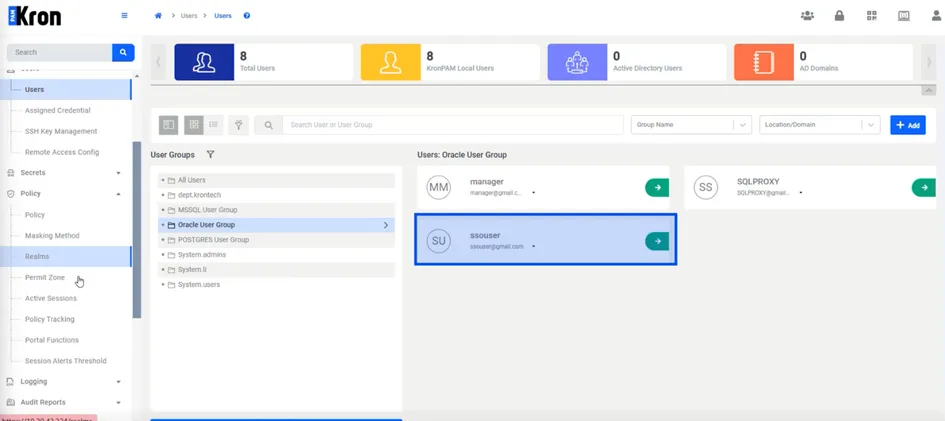
In this example ssouser will connect to MSSQL with SSO
The second password definition is required to provide authentication to the SQL Proxy when using SSO. In the Portal Functions screen, the Second Password Enabled function should be assigned to the user group that will use the SQL Proxy SSO feature.
To activate the second password use:
- Navigate to Portal Function > Function Group Definition > Add+
- Create a function group that has netright.users.module.Visibility and second.password.enabled
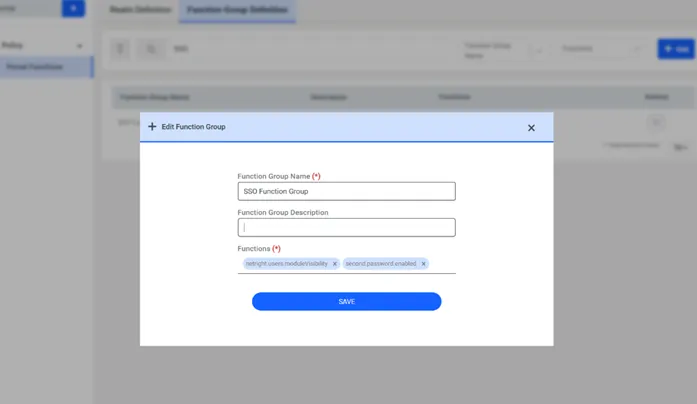
SSO Function Group
- Fill in the realm name, select the SSO function group and the user group that will be using the SSO feature for SQL Proxy, and click Save.
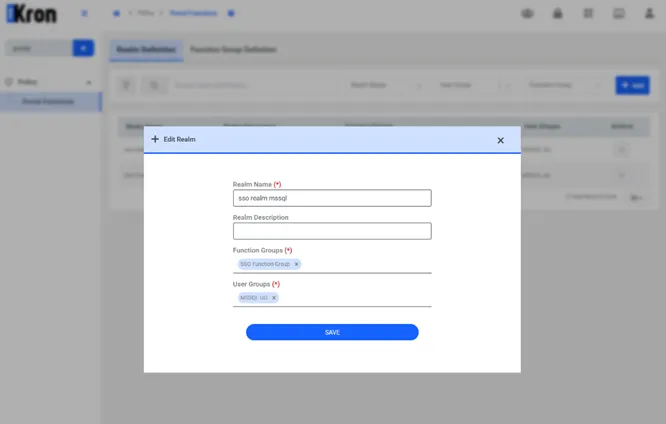
SSO Second Password Enabled function
After enabling the second password for a user group, the users in that group can assign their second passwords to their accounts in the Account Settings screen.
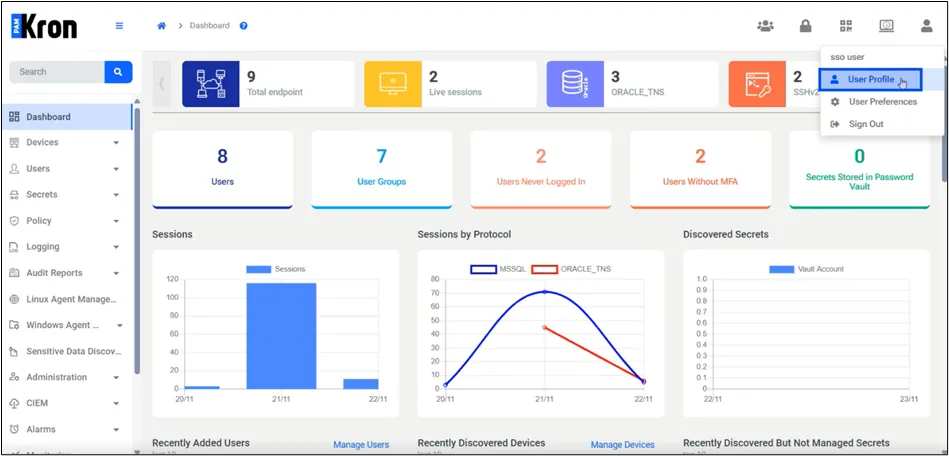
User Profile Settings
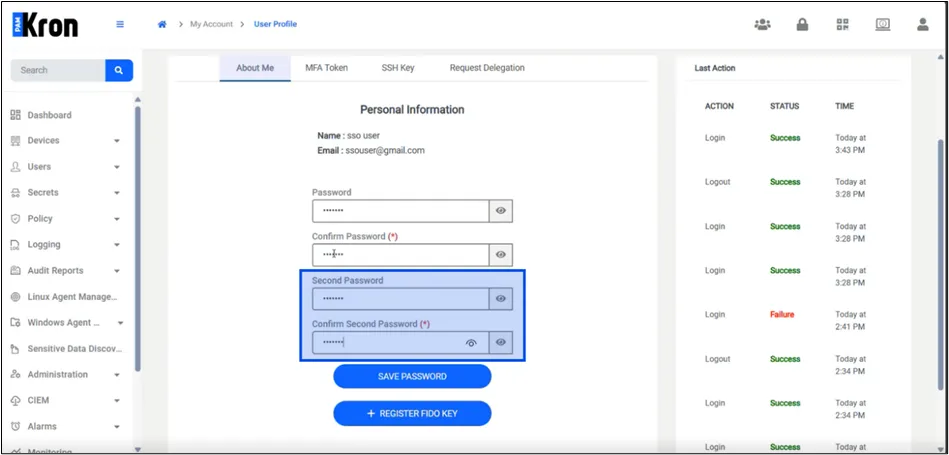
User Profile Settings
The Second Password expiration parameter should be defined in the System Config Manager. The TTL day parameter defines the maximum use time allowed for the Second Password.
- Navigate to Administration > System Config Man.
- Add the aioc.second.password.ttl parameter with a value (in days).