Running a Script
In Privileged Task Automation, authorized users can execute scripts on selected devices within a device group. This section outlines the steps to select a script, choose target devices, execute the script, and view its output.
To run a script on target devices:
- Navigate to the Scripts Tab.
- From the Script Group panel, select the desired group to list the available scripts. Locate the script you want to execute.
- Click the Green arrow button next to the script name.
- In the Run Script window, configure the following:
- Device Group: Select the device group containing the target devices.
- Device(s): Choose one or more devices from the selected device group.
- Click Next to review the script details and selected devices.
- Review the summary and click Run to execute the script. The script output is displayed in the Run Script windows during execution.
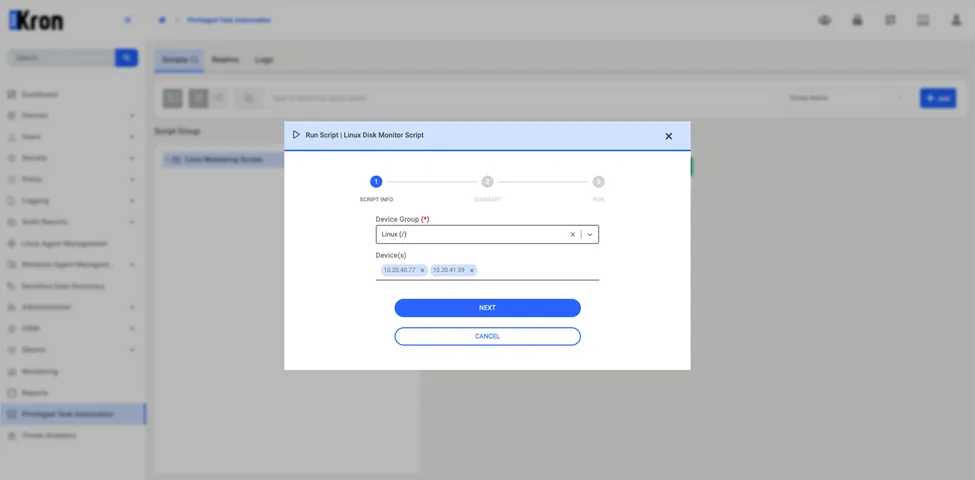
Executing Scripts