Kron PAM Configuration for Threat Threshold Incident Response
- Log in to Kron PAM Web GUI.
- Navigate to the Threat Analytics menu.
- Open the Severity Configurations tab. This section contains configurations related to the classification of detected threats according to their risk scores.
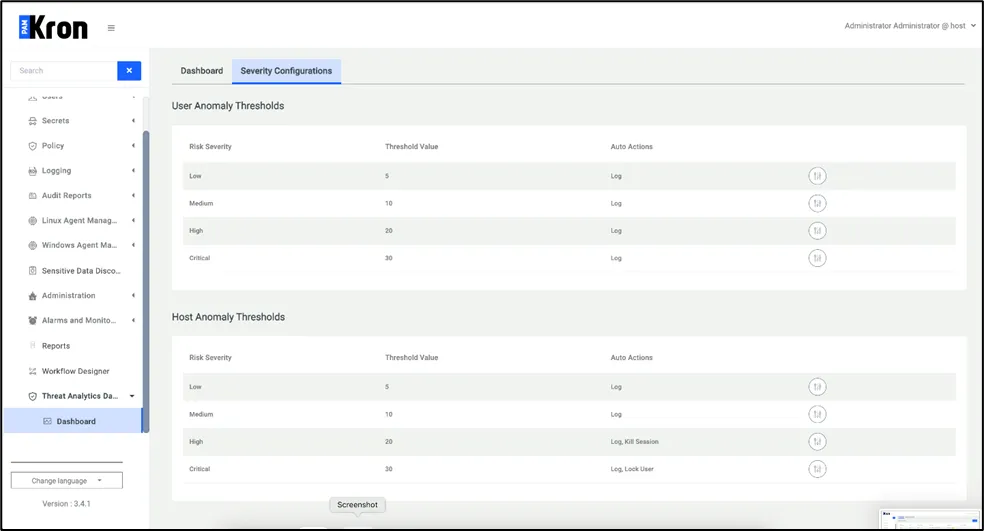
Kron PAM Configuration for Threat Threshold Incident Response
- Set risk severity threshold and Auto action for severity levels. These automatic actions can be one of the following: generate an alarm, block the user, terminate the active session or terminate all sessions of the user.
- Detected threats are listed in the Dashboard tab.
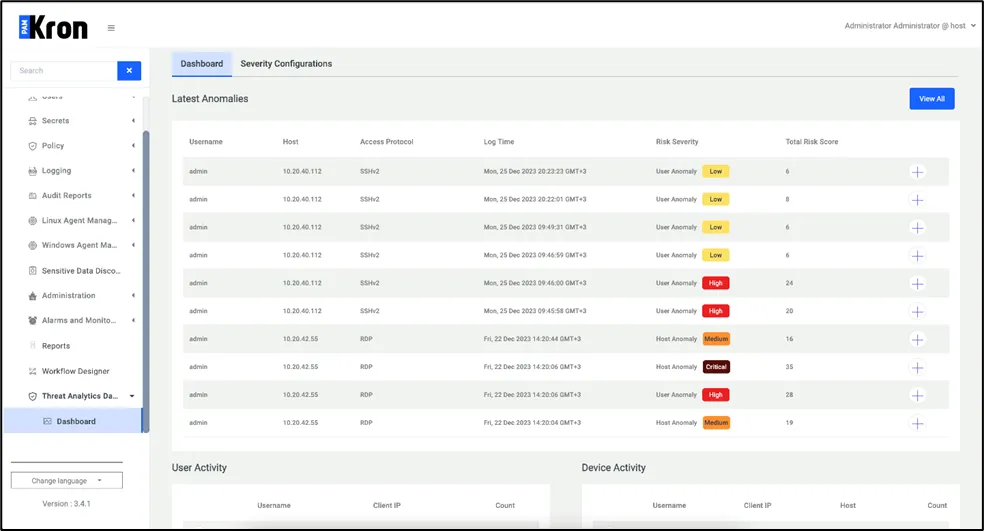
Detected Threats