Creating a Policy Group
All policies created are collected under a policy group:
- Navigate to Policy > Policy.
- Click the Add.
- Next to the Policy Group Title.
- Select OPERATION as the operation mode.
- Enter the Policy Group name and drag over the policy/policies.
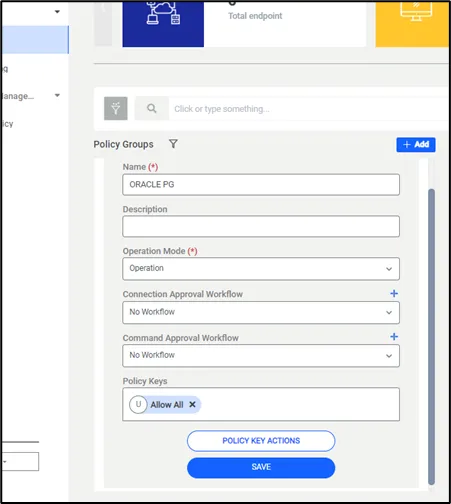
Creating a Policy Group
- Click the Policy Key Actions.
- Open the Black Key Action Sections and select action for black key policies; choose Generate Error as the action type.
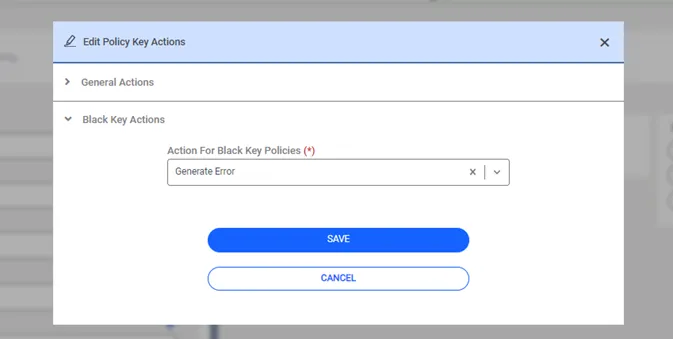
Creating a Policy Key Actions