Enabling CIEM Service
To enable CIEM, SSH into the Kron PAM instance and execute commands to unmask, enable, and restart the pam-daemon service. $ sudo systemctl unmask pam-daemon
$ sudo systemctl enable pam-daemon
$ sudo systemctl restart pam-daemon
After enabling the pam-daemon service, the CIEM dashboard becomes accessible via the Web GUI.
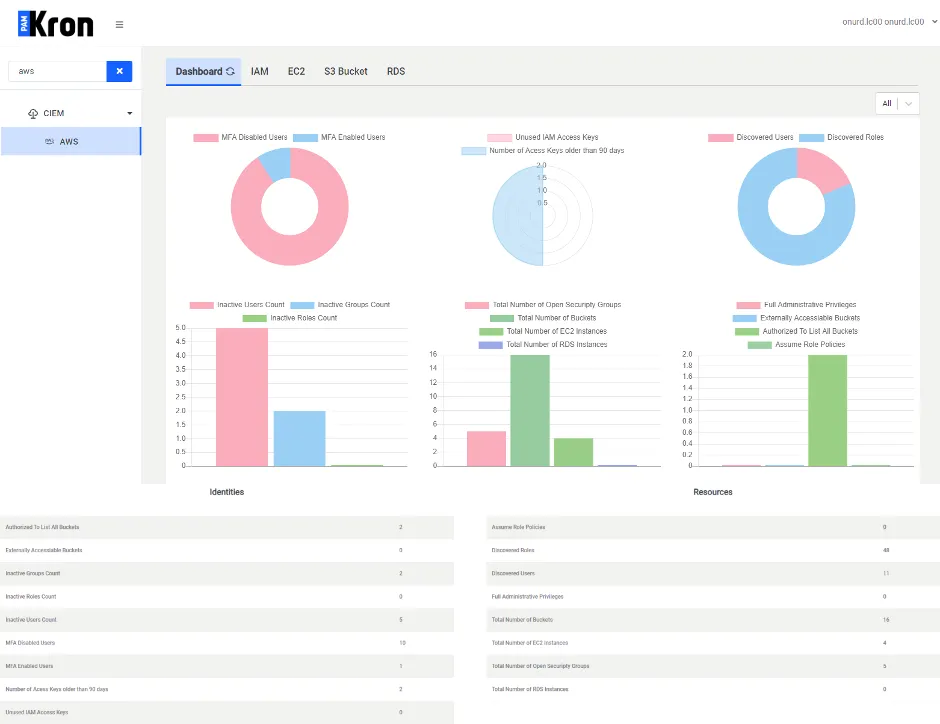
CIEM Dashboard
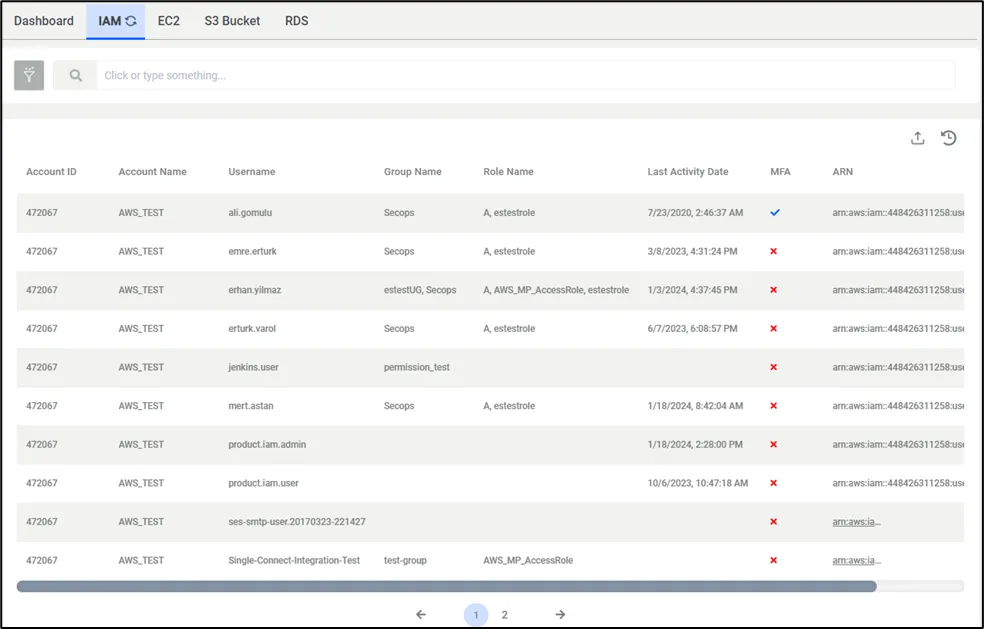
CIEM Panels-IAM
The Identity Access Management entities, along with their corresponding activities and Multi-Factor Authentication (MFA) status, are accessible on the aforementioned interface. These screens are designed to provide up-to-date insights into the cloud entities.
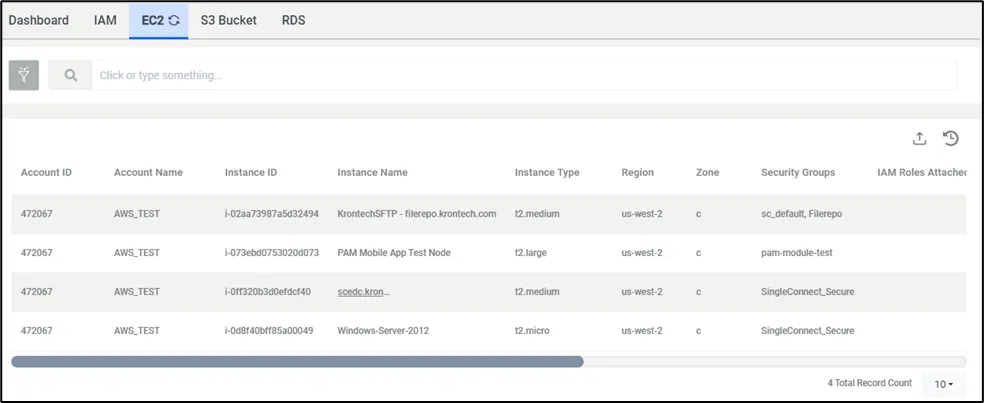
CIEM Panels – EC2
As evident, comprehensive details about virtual instances and their specifications are presented in a more elaborate format.