Disabling All Keystroke Logging and Video Recording
In the case of demand, all keystrokes can be disabled based on user groups. We need to define the below parameters for user groups. Specific logging features such as keystrokes and video recordings can be disabled for user groups using defined parameters.
Parameter Name | Parameter Value |
|---|---|
sc.ocr.log.disabled | Any OCR logs will be disabled when set as True, Default is False. |
sc.keylog.log.disabled | Any Key Logging will be disabled when set as True, Default is False (RDP keylog/RDP file Transfer) |
sc.command.log.disabled | Any Command logs will be disabled when set as True, Default is False. |
sc.session.video.record.disabled | Any Video Records will be disabled when set as True, Default is False. |
To configure:
- Navigate to Users > User Group Option.
- Search for a User group and right-click for the user group properties
- A pop-up menu appears, select Add New Property.
- Set those parameters as true.
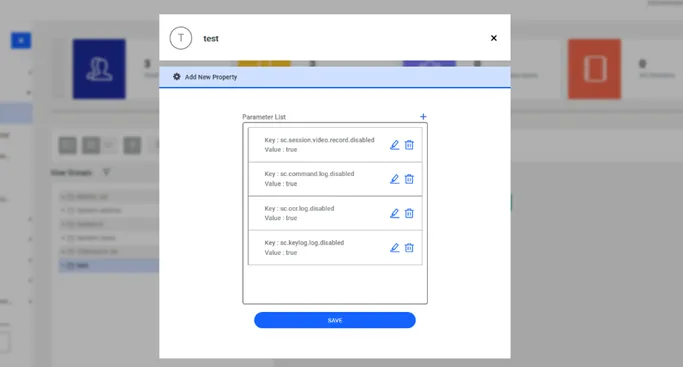
Disabling Keystroke and Video Recording