Creating Data Types
Most of the used data patterns are defined in Kron PAM, but more can be added.
To add different patterns:
- Navigate to Sensitive Data Discovery.
- Open the Data Types tab.
- Click the Add and inside the pop-up select the Add Pattern.
- Enter the Data Type’s Name, Lookup Type, Validation Type, and Pattern (in Java regex format)
- Click Save
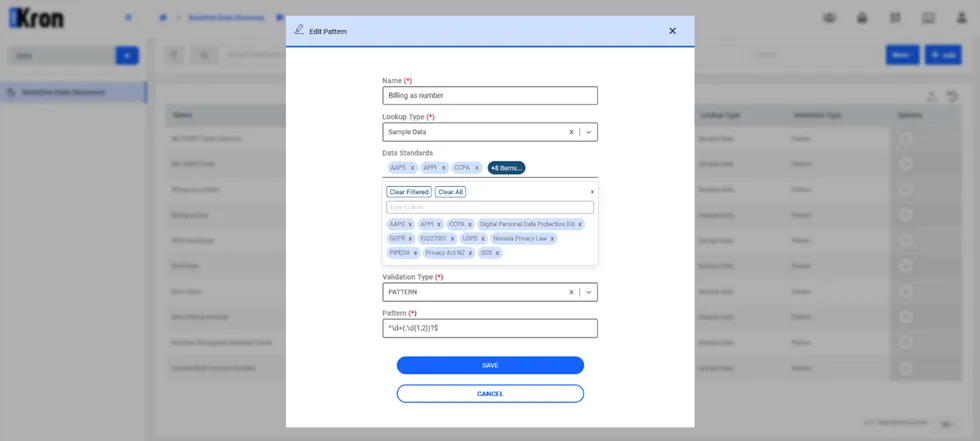
Pattern