Connection Reservation and Approval
Within the SQL Proxy module, users are required to create a reservation when attempting to connect to a database. This reservation specifies the time frame for access and must be approved by a manager.
To create a connection reservation:
The policy group must contain approval definitions. First, create an Approval Workflow that indicates what to do if some kind of reservation is created.
- Navigate to Policy > Approval Workflow then click +Add Button
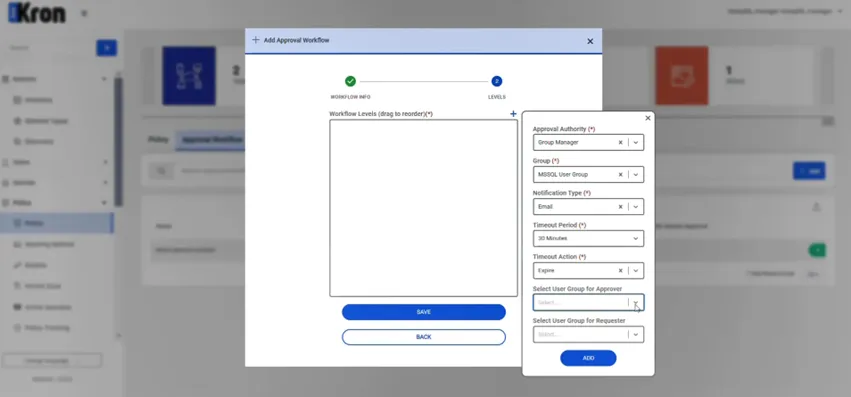
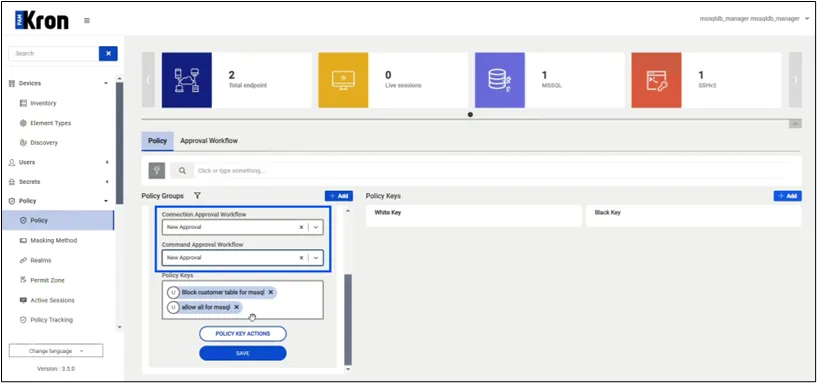
Users must log in to the PAM interface. Specific user groups, such as MSSQL user groups, may exist, and members of these groups are required to obtain approval from a manager before accessing databases.
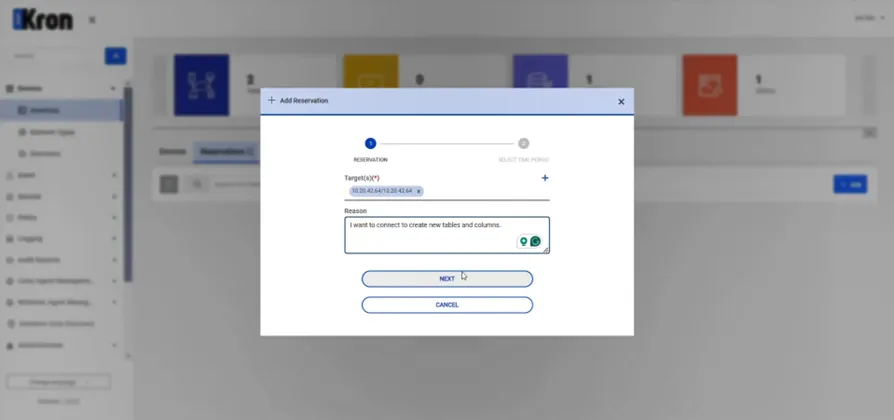
Users create a reservation by selecting the target database and specifying a Reason for the connection. For example, users may need to perform tasks such as creating tables or retrieving data. This reason is communicated to the manager for approval.
- Navigate to Devices > Reservation and Create a Reservation.
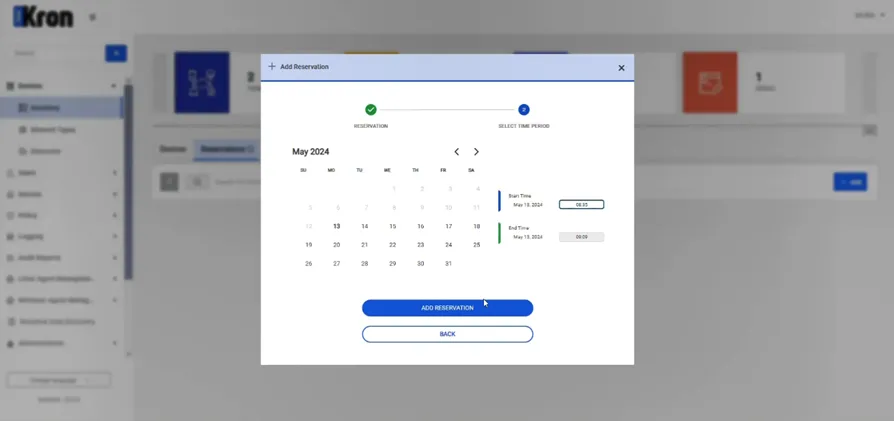
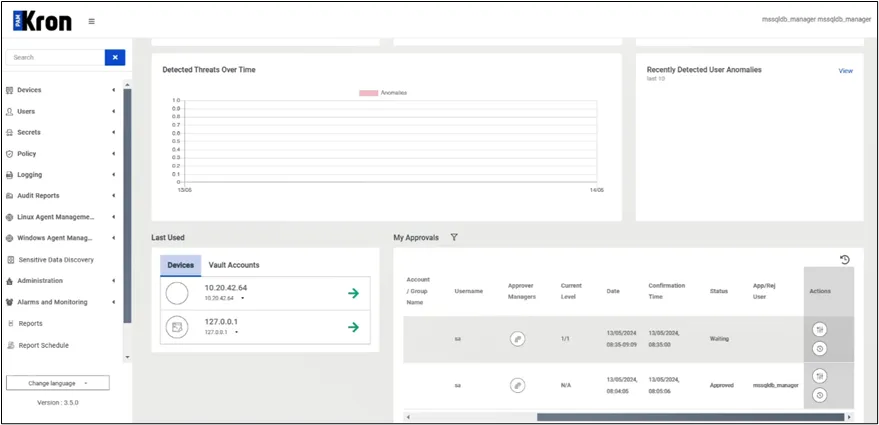
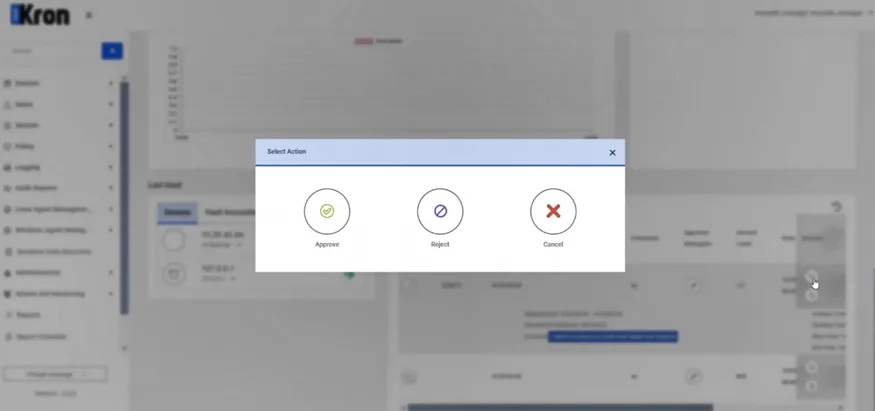
The manager reviews the reservation request, which includes details such as the user’s name, the target database, and the reason for the request. The manager may approve, reject, or ignore the request. Without approval, the user will not be able to connect to the database.
User Manager needs to:
- Navigate to the Dashboard page and approve the request in My Approvals
Once the reservation is approved, the user is allowed to connect to the database within the specified time frame. During this session, additional policies may govern the queries that can be executed.