Connecting with the Kron PAM SQL Proxy with Azure SQL Database
A virtual network needs to be configured between the VM hosting Kron PAM and the Azure SQL Database. Below are the definitions of the Kron PAM VM in Azure. All machines or jump servers expected to act as SQL Proxies must be given access to the PAM Server in Azure, along with all its ports.
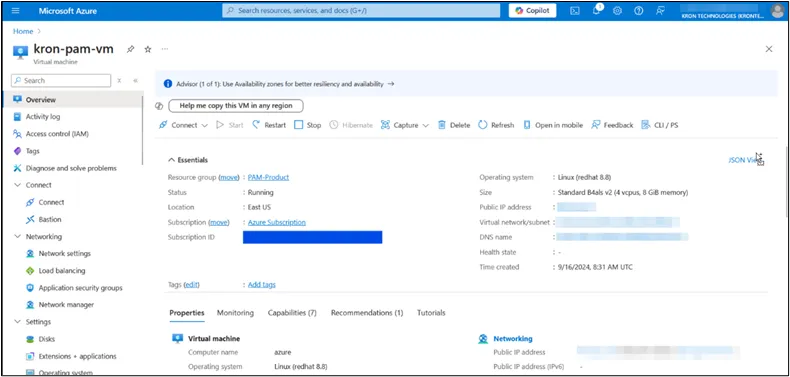
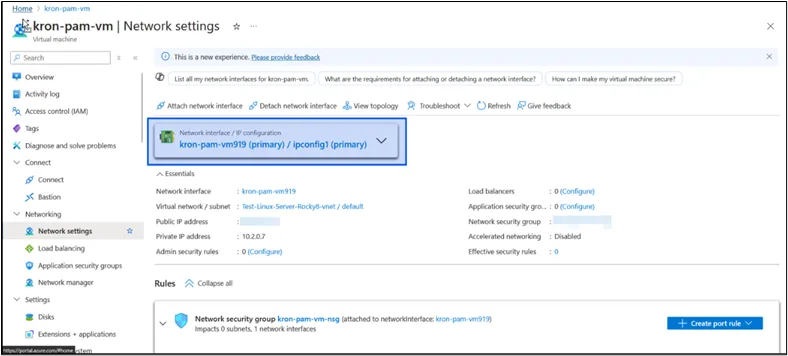
Network Interface of Kron PAM VM
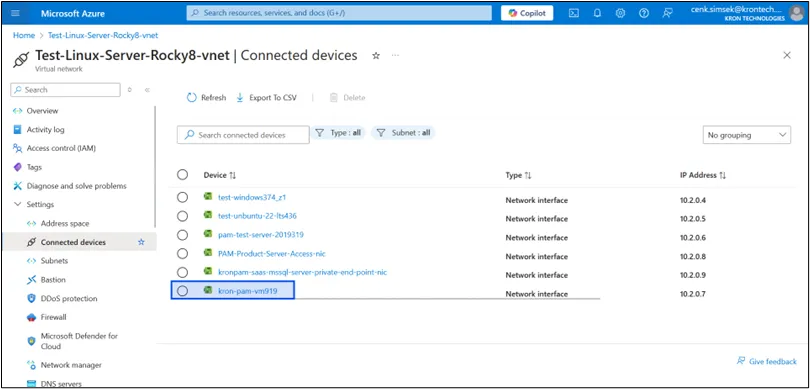
The Network Interface is connected to the Virtual Network
Azure SQL Server definitions are provided below:
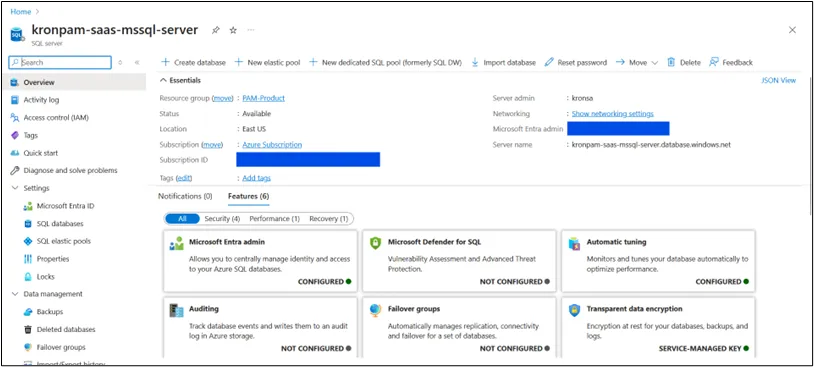
Azure SQL Server
The figure shows:
- Public Network access must be selected for Selected networks
- The Virtual Network that includes the Kron PAM VM’s Network Card must be bound.
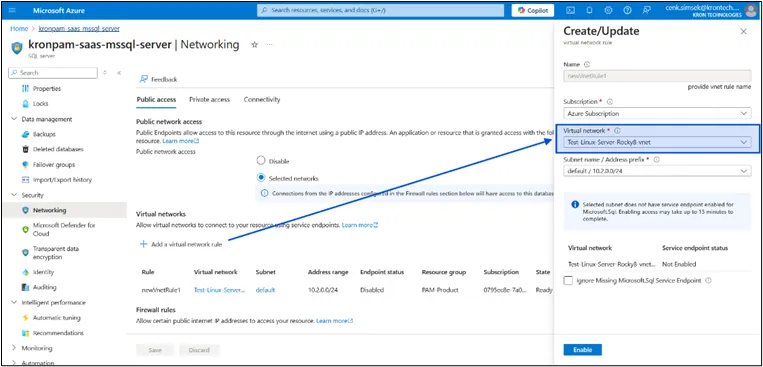
Azure SQL Server Networking
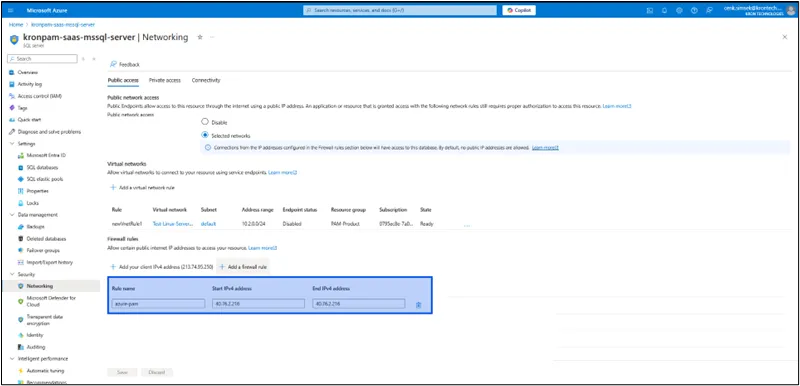
The IP of Kron PAM VM should be in the Firewall rule
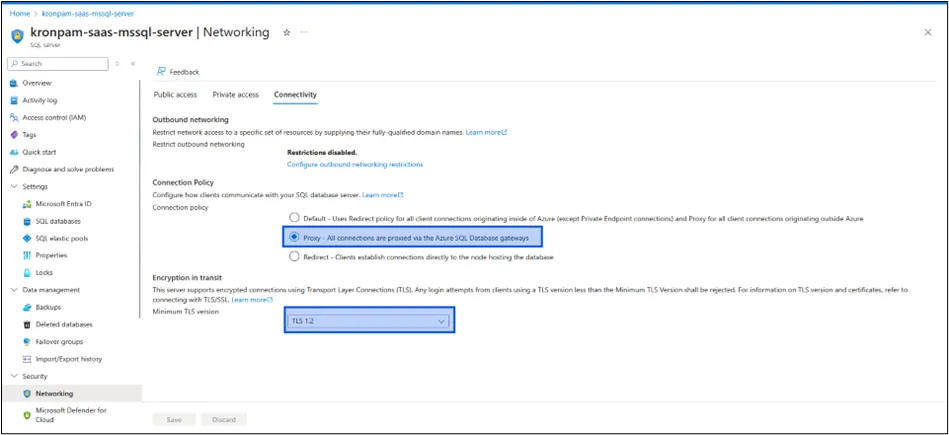
Connectivity should be set to 'Proxy' and Encryption in transit should be 'TLS 1.2'
The SQL Server and Kron PAM VM device are assumed to be in the same resource group.
Kron PAM Definitions: The structure is the same as the SQL Proxy definitions regarding User, Policy, and Realm. The only difference is that Azure SQL Server's Server Name must be provided in the Device IP field when adding the device.
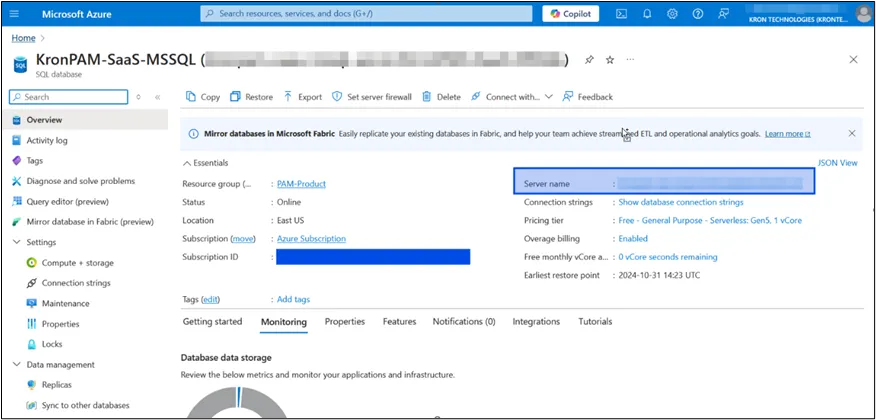
SQL Server’s Server Name
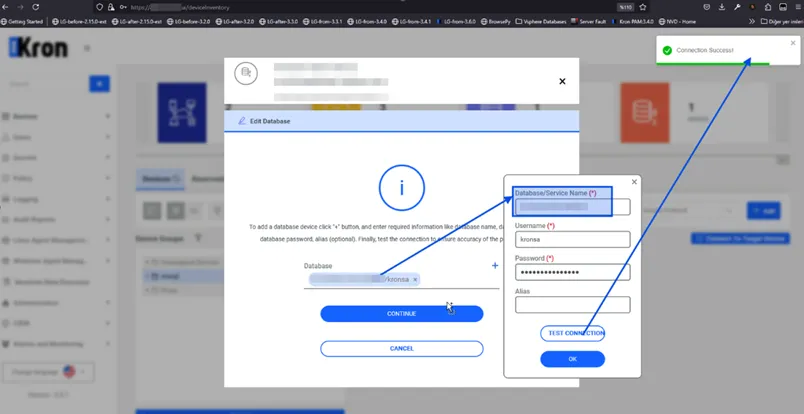
Kron PAM Database Credential
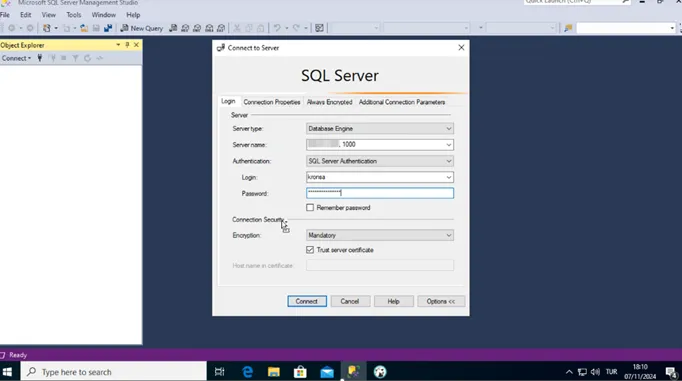
SQL Proxy Connection