Connect to Device
With the Connect to Device feature, the user will be able to connect to another device that does not have a device definition in the system but is in the same subnet with the same username and password.
To make this connection, the following procedures must have been completed previously.
- It is checked that the user and password are the same on the server to be connected.
- Select the Element Type value from the Device > Element Type screen.
- Select the Auto-Discovery value from the Association tags panel.
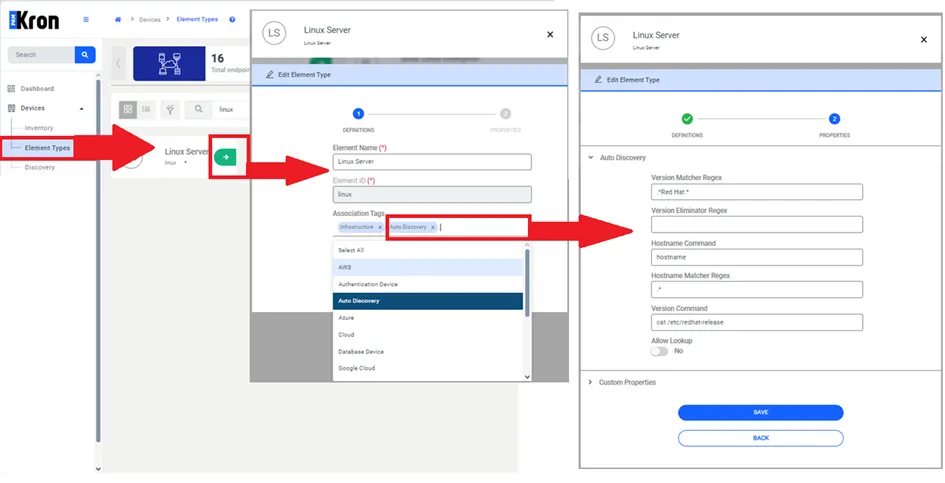
Discovery Definition
To find the correct device from the Auto Discovery panel, the necessary parameters must be defined.
- Subnet definition should be made for the group to which the device belongs from the Device Group screen.
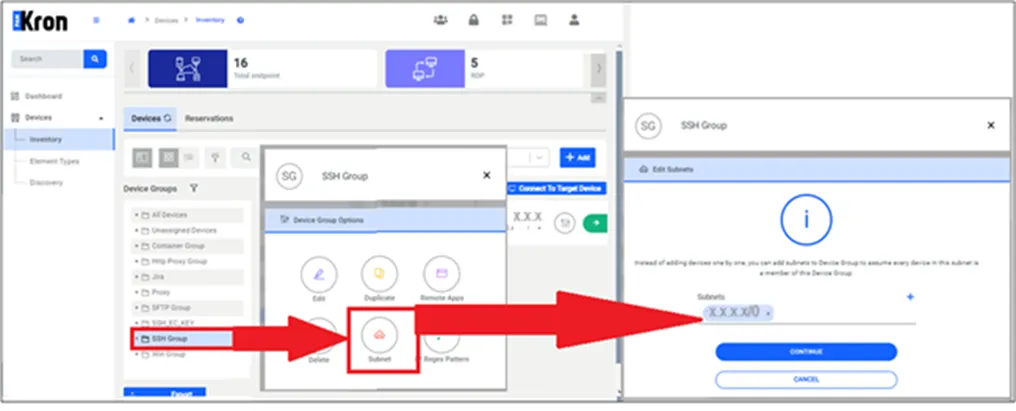
Subnet Definition of Device Group
Discovery should be made to match Device Group - Element Type - Access Protocol.
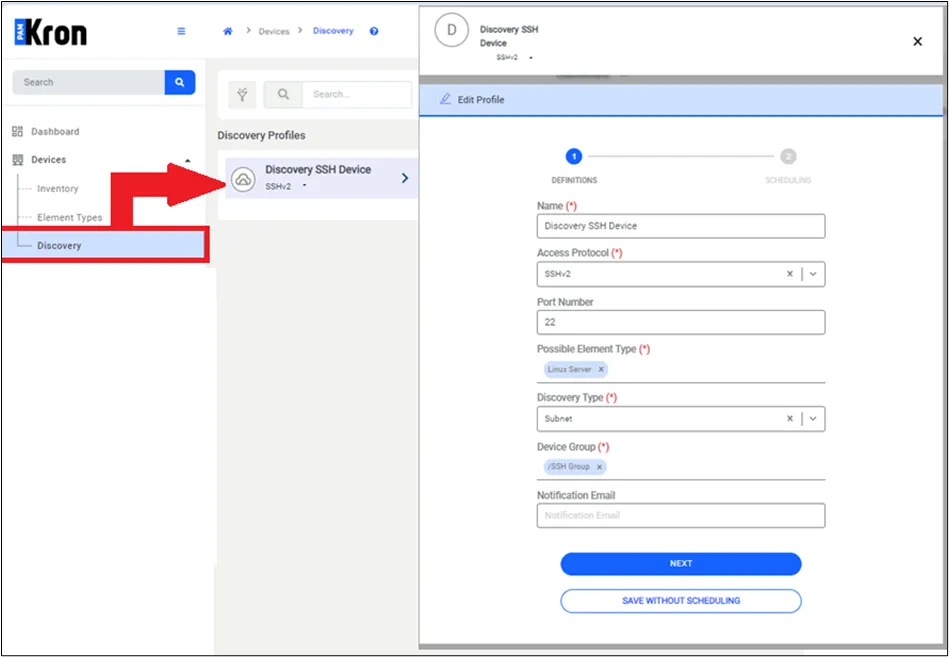
Discovery Definition
- Secret > Configuration, for which configuration the Connect to Device tab should appear, that definition should be made.
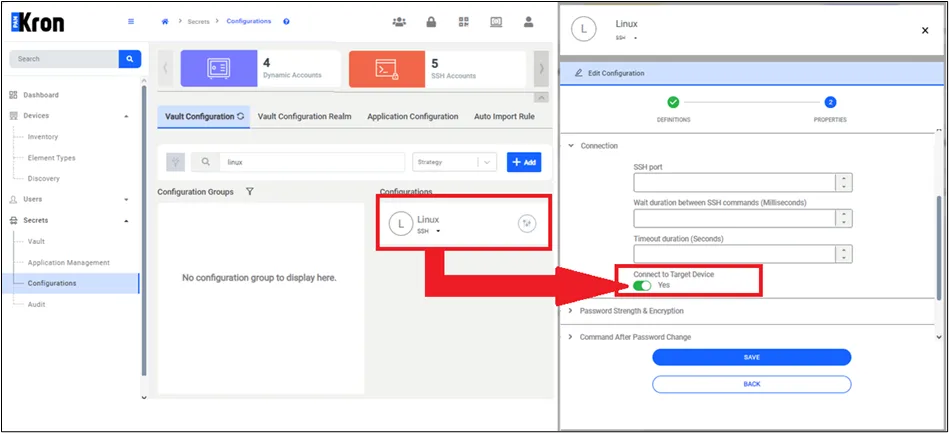
Secret Configuration Definition Screen
With the actions Check Out Password option for the selected Vault account, the Connect to Device option will appear on the screen, and the IP address of the device to which device you want to connect will be written.
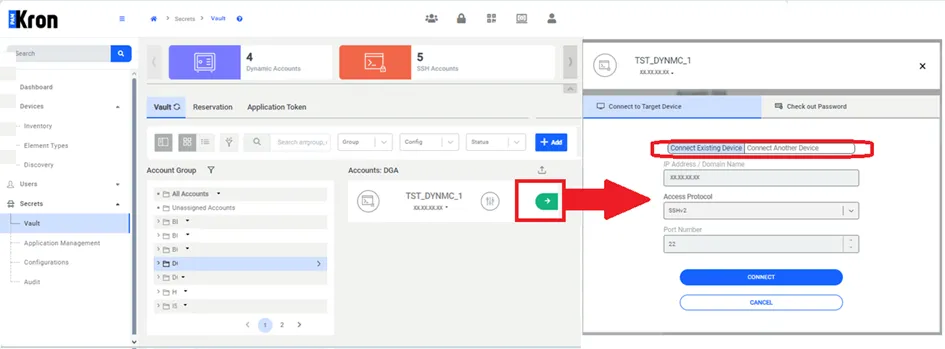
Secret Password Check Out Screen