Bulk Reset Account Password
Users can reset dynamic account passwords individually, as well as perform a multiple password reset. Users can select multiple accounts at once on the account icon(CTRL + Left Click) and apply only the reset password operation on the selected accounts. When the reset process starts, dynamic accounts are automatically reset after one minute due to the running job.
- Navigate to Secrets> Vault.
- Open the Vault Accounts tab.
- Select Dynamic Accounts and select Reset Password.
- Confirm the operation from the dialog box by clicking Yes.
- In this case system will create a new log record with a new Log Status as Bulk Reset Password in the database.
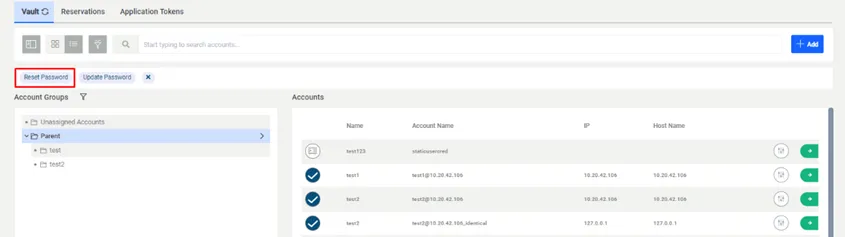
Multiple Selection and Reset under Password Vault Accounts
On the Audit Screen when the user searches for records new log records will be shown with new Status. Also, the user will be shown in the Event Username field who requested Bulk Reset Password status.
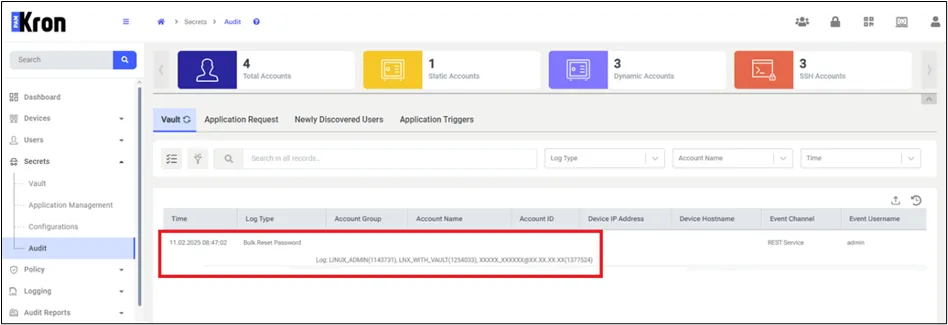
Log Screen After Bulk Reser Password job completed