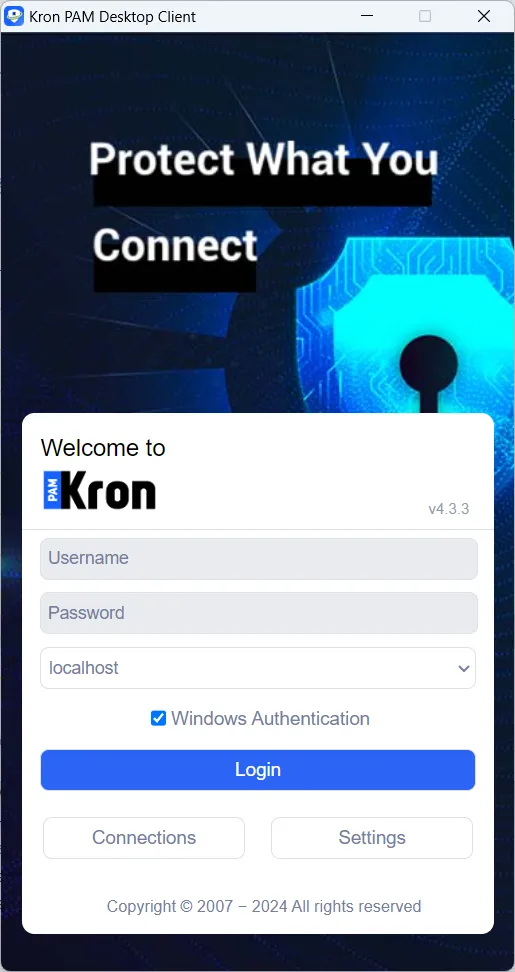
Windows Authentication on the Kron PAM Desktop Client
Windows Authentication can be used to log in to the Kron PAM Desktop Client as well.
The required settings are outlined in this section.
The following terms are used in the configuration steps:
Domain Controller Configuration
The following configurations should be set on the Domain Controller:
- Create a user (Ex: username: ssotest, password: 123)
- Create an SPN (Service Principal Name) for this user, using the following command:
- setspn -A HTTP/KronPAMServerHostname username Example: setspn -A HTTP/testsso.krontech-new.internal ssotest
- Create a ssotest.keytab file using the following command:
- KRB5_NT_PRINCIPAL ) ktpass /out c:\keytabFileName /mapuser username@DomainName /princ HTTP/KronPAMServerHostname@DomainName /pass password /kvno 0 -ptype KRB5_NT_PRINCIPAL (Ex: ktpass /out c:\ssotest.keytab /mapuser ssotest@krontech-new.internal /princ HTTP/testsso.krontech-new.internal@krontech-new.internal /pass 123 /kvno 0 -ptype KRB5_NT_PRINCIPAL)
Kron PAM Server Configuration
The following configurations should be set on the Kron PAM server:
- Connect to KronPAM CLI as the pamuser user.
- Move the “ssotest.keytab” file under “$CATALINA_BASE/conf/”.
- The default Catalina base directory is pam/gui/
- Create the krb5.ini file in the Tomcat Server under $CATALINA_BASE/conf/ with the following example content:
[libdefaults]
default_realm = krontech-new.internal
default_keytab_name = FILE:/pam/gui/conf/ssotest.keytab
default_tkt_enctypes = rc4-hmac,aes256-cts-hmac-sha1-96,aes128-cts-hmac-sha1-96
default_tgs_enctypes = rc4-hmac,aes256-cts-hmac-sha1-96,aes128-cts-hmac-sha1-96
forwardable=true
allow_weak_crypto=true
[realms]
krontech-new.internal = { kdc = krontech-dc.krontech-new.internal:88 }
[domain_realm]
krontech-new.internal = krontech-new.internal
.krontech-new.internal = krontech-new.internal
- Add the following lines in pam-gui.service file under /usr/lib/systemd/system/ directory
- -Djava.security.krb5.conf=/pam/gui/conf/krb5.ini
- -Djavax.security.auth.useSubjectCredsOnly=false
Example:
Environment="JAVA_OPTS=-Djava.security.krb5.conf=/pam/gui/conf/krb5.ini -Djavax.security.auth.useSubjectCredsOnly=false -agentlib:jdwp=transport=dt_socket,server=y,suspend=n,address=8000 -Xmx2048m -Xms256m -Duser.language=en -Duser.region=US -Duser.timezone=Etc/GMT-3 -Dlog4j2.formatMsgNoLookups=true -…..
- systemctl daemon-reload and then restart pam-gui service.
- For Windows Authentication within Desktop Client, the Internet Explorer should be configured as explained in the next section.
Client Internet Explorer Configuration
The following configurations should be set on the client’s Internet Explorer.
- Go to Settings > Internet Options > Security
- Select Local Intranet Zone, click the Sites button, check all three options, and click the Advanced button to add the KronPAMServerHostname with HTTPS to this zone. Ex: https://testsso.krontech-new.internal
- Select Local Intranet Zone.
- Click the Custom Level button and select Automatic logon-only intranet.
Kron PAM GUI Configuration
Add the following parameters in the System Config Manager:
- Navigate to Administration > System Config. Man.
- Add these parameters:
- windows.auth.keytab.path = /pam/gui/conf/ssotest.keytab windows.auth.spn = HTTP/KronPAMServerHostname Example value: HTTP/testsso.krontech-new.internal aioc.auth.rdc = true
- Restart pam-gui service again.