Using MFA for TACACS+ Manager
MFA can be used with the TACACS+ Manager.
To activate MFA for TACACS+ Manager:
Admin and users have the QR code, installed the Kron PAM Mobile Client, scanned the QR code with the Mobile Client, and MFA is enabled for the user group using MFA for TACACS+ connections. (See sections Sending the MFA QR Code to Users, Creating a Connection Between Kron PAM and the Kron PAM Mobile Client, Enabling Multi-Factor Authentication (MFA))
- Connect to Kron PAM CLI from the SSH client as a Kron PAM admin user.
- Stop the TACACS+ function with the command below (do not close the SSH session) systemctl stop pam-tacacs
- Log in to the Kron PAM Web GUI.
- Navigate to Administration > TACACS Management.
- Click the Options button, and delete the configuration.
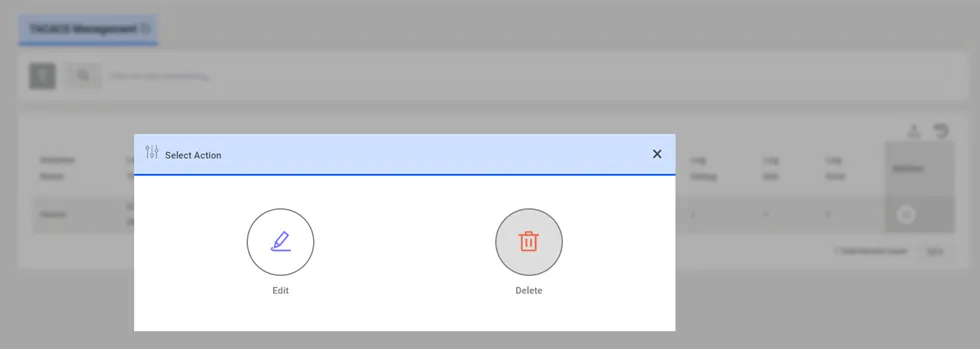
Delete TACACS Management Configuration
- In the SSH session, edit the kron_tacacs.conf file with the command: vi /pam/gui/kron/etc/kron_tacacs.conf Check the configuration file to see if the parameter below is already configured in it. If not, add the lines below. If there is a hash (#) sign in front of the parameters, delete the hash (#) sign to activate the parameter. If the parameter value is “false”, change it to “true”. To type or add anything in the vi editor, first press the Insert button on the keyboard, then type in the necessary line. Press Esc to exit typing mode. To save the file press Esc, then colon (:), type in wq! and press Enter. If you do not want to save the changes to the file, press Esc, then colon (:), then type in q! and press Enter.
- The red text below may need to be changed for the Kron PAM installation. If the default values are acceptable for the installation, the red text does not need to be added at all. otp { enabled = 1; host = OTP endpoint webserver ip; port = OTP endpoint webserver port, default value: 80; cache_interval = 300; num_digits = 6; ssl = 1 if the OTP endpoint webserver is working on HTTPS, default value: 0; path_status = path of the otpStatus service, default value: /twofactorauth-ui/rest/tfa/otpStatus; path_valid = path of the otpValid service, default value: /twofactorauth-ui/rest/tfa/otpValid; }
- Restart the TACACS+ function systemctl restart pam-tacacs