VNC Device Properties
Virtual Network Computing (VNC) is a type of remote-control software that makes it possible to control another computer over a network connection. Kron PAM manages sessions on a VNC device. For VNC Proxy, after adding a device (see Device Management), some properties should be set on the device:
- Navigate to Devices > Inventory.
- Choose the desired device and select the Edit option.
- Set the related properties.
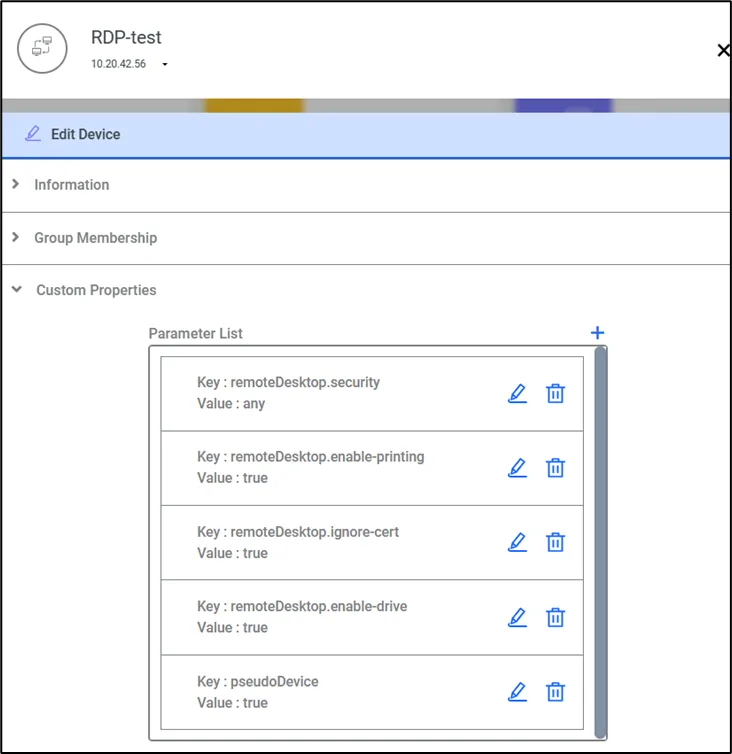
Property | Definition |
|---|---|
remoteDesktop.color-depth | This parameter is optional. The color depth to request, in bits-per-pixel. If specified, this must be either 8, 16, or 24. Regardless of what value is chosen here, if a particular update uses less than 256 colors, the Kron PAM Remote Desktop Client will always send that update as a 256-color PNG. |
remoteDesktop.enable-sftp | If file transfer should be enabled. If set as "true", the user will be allowed to upload or download files from the specified server using SFTP. If omitted, SFTP will be disabled. |
remoteDesktop.sftp-directory | This parameter is optional. The default directory to upload files when they are simply dragged and dropped. Also, the SFTP user must be authorized on the directory to use this directory. If omitted, the default upload location of the SSH server providing the SFTP will be used. |
remoteDesktop.sftp-password | The password to use when authenticating with the specified SSH server for SFTP. |
remoteDesktop.sftp-username | This parameter is required. The username to authenticate is when connecting to the specified SSH server for SFTP. |
If the SFTP user password is to be used from SAPM, define the SFTP user as a SAPM account and remove the “remoteDesktop.sftp-password” property on Device Properties.