Schedule Discovery
3 min
Aside from manual discovery, a scheduled discovery can also be configured:
- Navigate to Sensitive Data Discovery.
- Select the Discovery tab.
- Click the blue Add button.
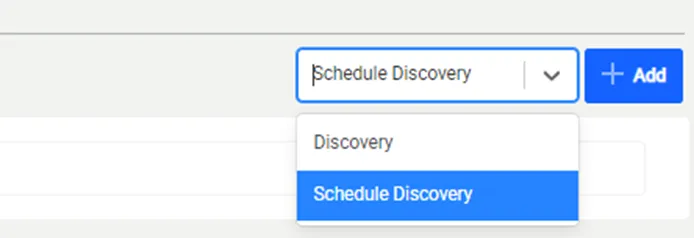
- Fill in the Discovery Name, Description, and Cron Expression.
- Select the Database, Schema, Table, Pattern, Sample Data Count, Expected Matched Percentages, and Thread Count.
- Click the Save Scheduler button.
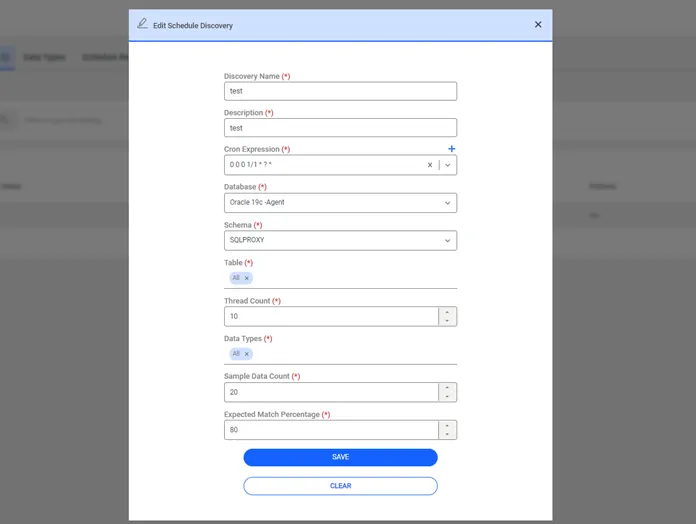
Schedule Data Discovery
To execute the scheduled discovery, the SDD schedule job must be defined:
- Navigate to Administration > Jobs Scheduler.
- Open the Trigger List tab.
- Click the blue Add button.
- Give a name for the trigger and select SDDSchedule as the Job.
- Fill in the Trigger Name and Cron Expression fields.
- To enable the job, select Enabled in the Active field and click Save.
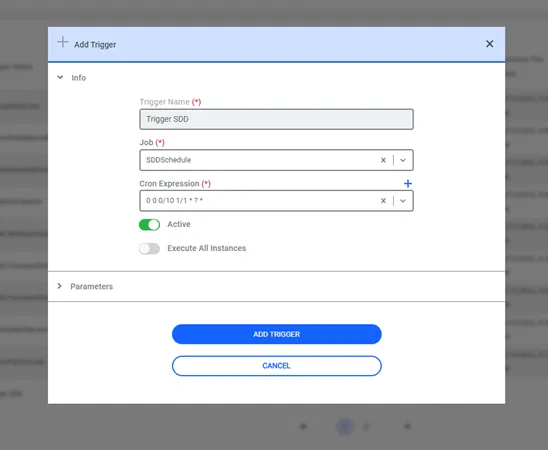
Add Trigger
When the scheduled discovery is completed, the discovery results are shown in the Schedule Result Page tab > Options > Show Details.
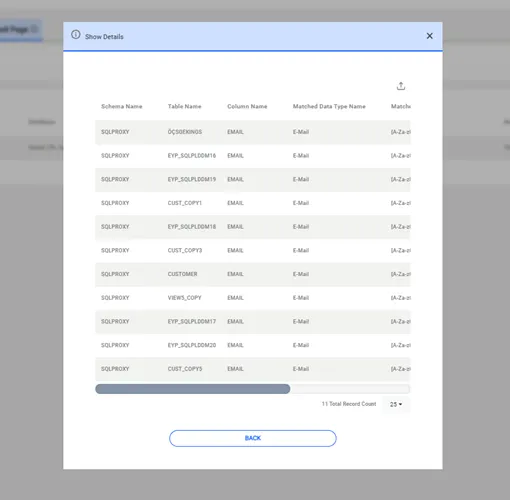
Schedule Data Discovery Results
A discovery summary can also be viewed. Click the Show Summary option on the Option Button section.
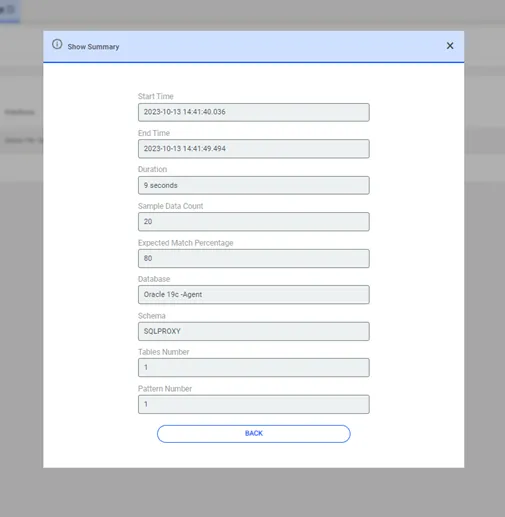
Schedule Data Discovery Summary