RDP Proxy Legal Disclaimer Message
1 min
Customers can set up a legal disclaimer message to appear at the start of an RDP or VNC session. To add this message:
- Navigate to Administration > System Config Man> Add New System Parameter.
- Set the parameters legal.notice.enabled = true (to enable legal notice) legal.notice.text =<text> (the text to be shown as a legal disclaimer message)
- Once these parameters are set, restart netright-tomcat by establishing an SSH connection to the Kron PAM server and running the command: systemctl restart pam-gui
After these steps, the legal disclaimer message will be displayed until the user clicks Continue.
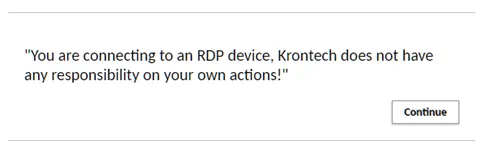
Legal Disclaimer Message Example for RDP