Job Scheduler Logs
1 min
The Trigger Logs consist of the following fields: Trigger ID, Job name, Trigger Name, Trigger Type (Manual/Scheduled), trigger Start Time/End Time, Job Status (Running, Finished, Successful, Error), and Summary.
To send the Trigger Logs:
- Navigate to Administration > Job Scheduler.
- Open the Logs tab.
- Fill in the fields to filter and click the Search button.
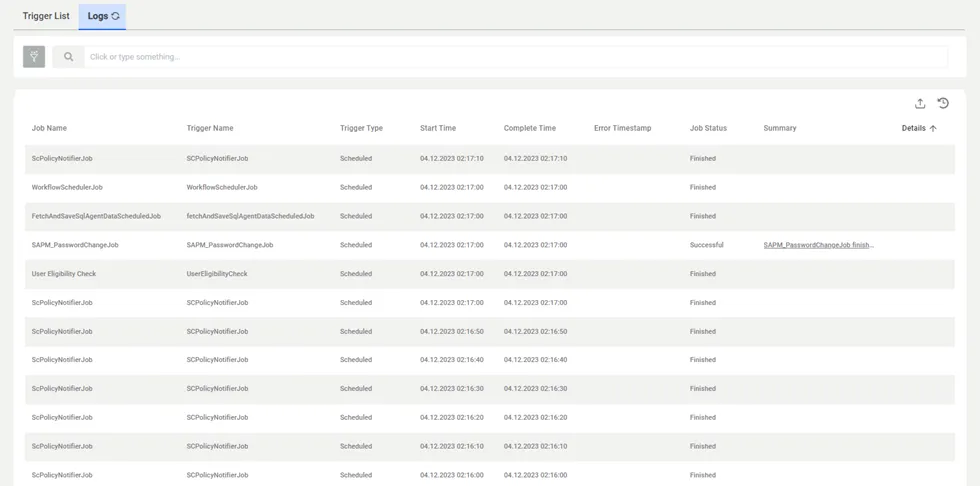
Trigger Logs
- The Successful and Error statuses in the Job Status type only apply to SAPM and Ldap Data Collector Jobs.
- The Finished status in the Job Status type applies to jobs, except SAPM and Ldap Data Collector Jobs.
- The Summary field is filled only for SAPM and Ldap Data Collector Jobs.
- The Details button is visible if errors occur in the SAPM or Ldap Data Collector Jobs.
- Clicking the Log Details button will redirect to the Error Details Logs tab for the selected triggered job.