Viewing Logs in Different Time Formats
The logs time/date format and settings in Kron PAM can be changed. By default, the settings on the user's personal computer are automatically used. However, the system administrator can force all users to use the same time/date format. To set the time/date format:
- Navigate to System Config Man.
- Set the aioc.date.format property for the required time/date format:
Country | Code |
|---|---|
English | en_US |
Russia | ru_RU |
Korea | ko_KR |
Turkey | tr_TR |
- Establish an SSH connection to the Kron PAM server and restart netright-tomcat with the command: systemctl restart pam-gui
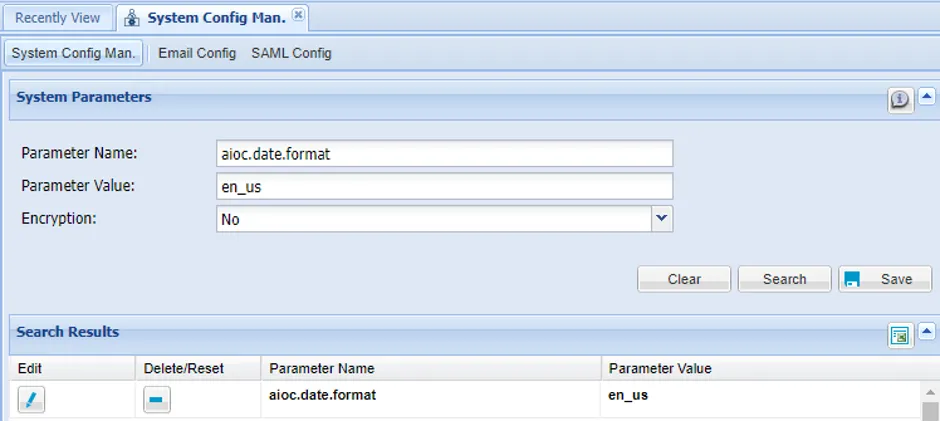
Setting for Time/Date Format
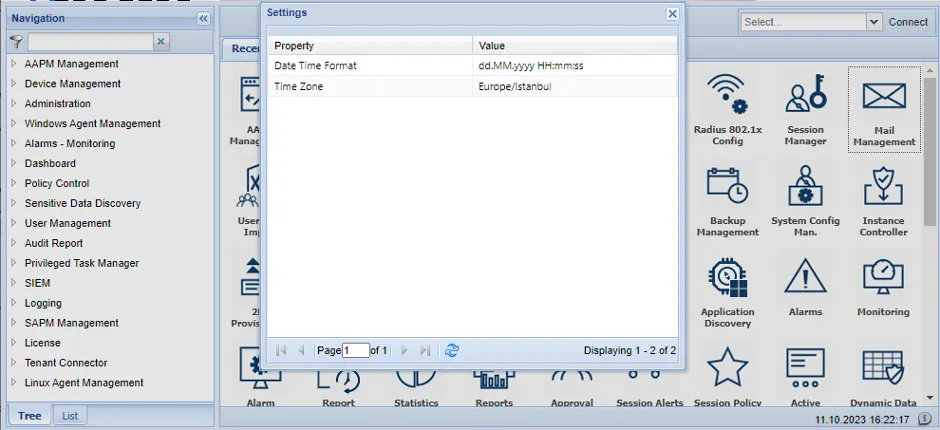
To check a user’s current time/date format, click the info button on the bottom right side of the screen.