Tamper Proof Use Case
The Tamper Proof feature can be accessed in log screens, such as Session Logs, HTTP Proxy Logs, Activity Logs, Command Logs, Authentication Logs, Event Logs, and Video Logs.
- Navigate to Logging > User Auth Logs.
- Select Show Tamper Proof Status and filter other parameters, as needed.
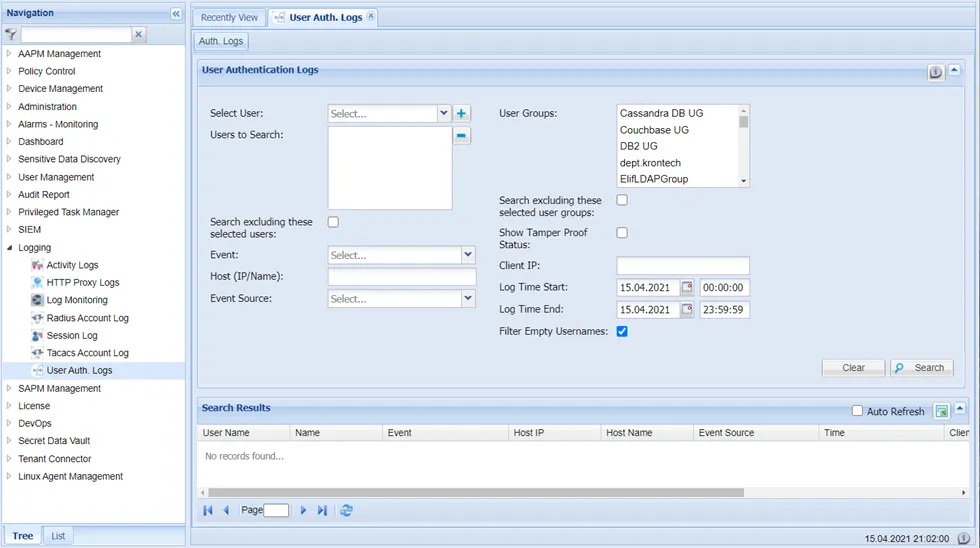
User Auth Logs Section with applied Show Tamper Proof Filter
- Click the Search button to list all the results. The list includes an extra column called Tamper Proof, which represents the status of each log record.
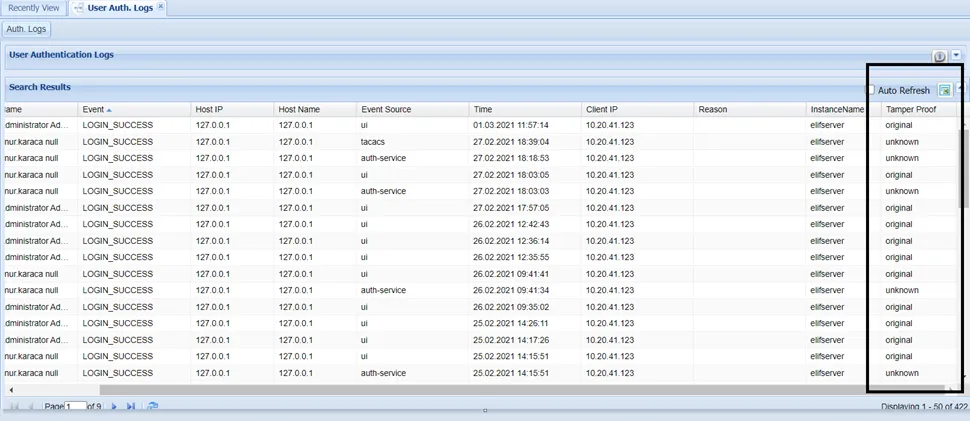
User Auth Logs Search List with applied Show Tamper Proof Filter
- If the log record is tagged as Original, there are no changes. If the log record is tagged as Tampered, it means that he log record has somehow been changed in the database by a malicious user. If there is any undue modification of log record name, time, client IP, hash info etc., the tamper proof mechanism identifies it and flags it as Tampered. If the log record is tagged as Unknown, it has not yet been hashed by the batch process. Once it is hashed in the background, its status will be updated to Original or Tampered.
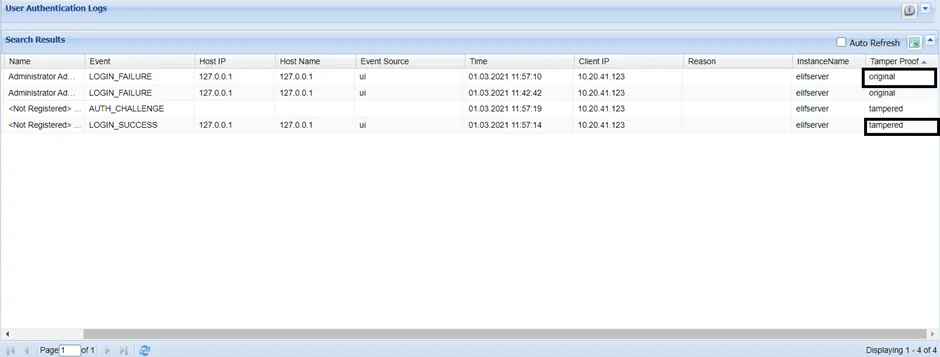
Example User Auth Logs with and without Modifications
- Any user searches of the log record with tamper-proof status will be recorded as an activity log, as illustrated in the figure below. Set the Event Type filter as /log/activity-log/search-tamper-proof/ and click Search to see the results. Information on which users searched for tamper-proof status includes Time, Instance Name, Event Type, and Event Parameter information.
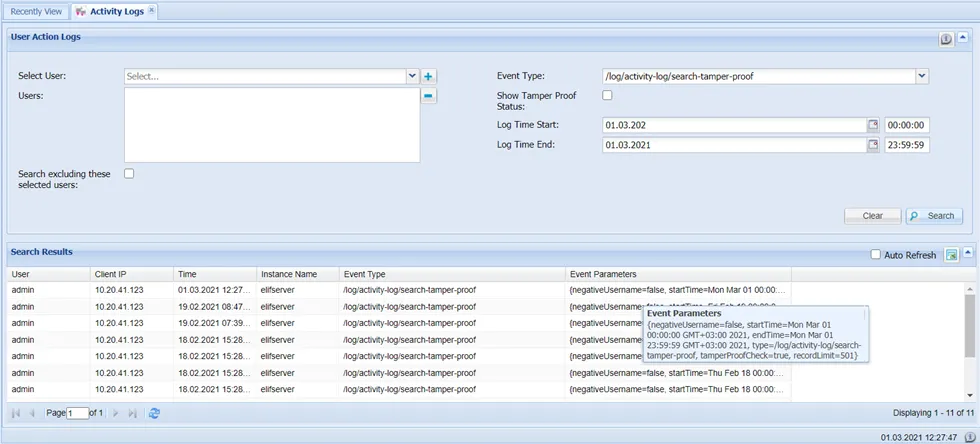
Tamper Proof Log Search Results