SAPM Accounts Bulk Import
You can add SAPM Accounts in bulk to Kron PAMSingle Connect by following the steps below:
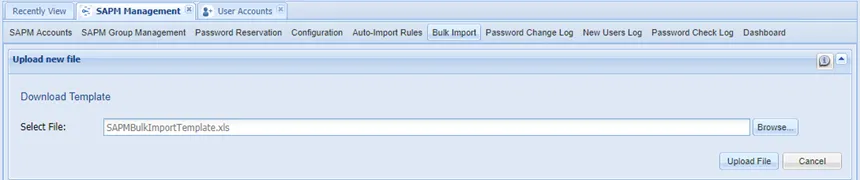
- Navigate to SAPM Management > Bulk Import screen.
- Click Download Template. An Excel file named SAPMAccountBulkImportTemplate is downloaded.
- Open the template file and enter SAPM account information as described in the column descriptions. Save the template file on your computer.
- On the Bulk Import screen, click Browse and select the template file you saved.
- Click Upload File to add the SAPM accounts list to the Parse Results section on the Bulk Import screen.
- Click Import SAPM Accounts.
You added the SAPM accounts. However, the passwords will change next time the SAPM Password Change job runs again.

SAMP Account Bulk Import Template Column Descriptions
Column | Required/Optional | Description |
|---|---|---|
No | Required | No refers to the row number. Enter each account in a separate row. |
Secret Type | Required | Secret Type indicates whether the account is Static or Dynamic. Select Dynamic or Static from the combo box. Password rotation occurs for Dynamic accounts. |
IP Adress/Hostname | Optional | Enter the IP Address / Hostname where the account exists. Not mandatory if the Static Strategy is selected. You must select the IP address of a device that is already defined in the application. |
Secret Name | Required | All accounts to be managed must have a name. Enter a name; this name will appear in the application. |
SAPM Group | Optional | Enter a group for the account to be managed through the specified group. The account does not have to be in the specified group. |
SAPM Configuration | Required | Select SAPM configuration from the pre-defined values. The SAPM Configuration combo box will also list the user-defined configurations. |
SAPM Account Username | Required | Enter the SAPM account user name. It is important to write the username on the device correctly if you didn’t select a configuration with Static Strategy in the SAPM Configuration field. |
SAPM Account Password | Required | Enter the SAPM account password. |
Change Period (day) | Required | Enter password change frequency in days. |
Permissions | Optional | Enter the Permissions field as follows: {UserGroupA=FULL_CONTROL,UserGroupB=READ_ONLY} |
Passphrase | Optional | Enter the SSH passphrase if SSH Key Configuration is selected in the SAPM Configuration. |
Private Type | Required | Private accounts cannot be seen by other users in the same user group. Select Yes to set the SAPM account private. |
Owner | Required | Enter the owner’s username. Each account has one user ownership. Owners should be selected from existing users. |
Description | Optional | Enter SAPM account description. |