Editing a SAPM Group
Existing SAPM Groups can be edited from the SAPM Group Management screen. To edit a group:
- Navigate to SAPM Management > SAPM Management.
- Open the SAPM Group Management tab.
- Right-click the desired group in the tree, and select the Edit option from the menu.
- Edit the Group Name and Description fields in the SAPM Group Information box, and click Save.
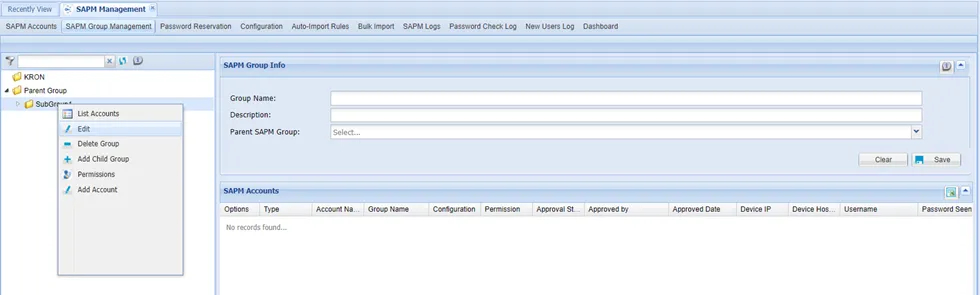
SAPM Group right-click menu