Device Inventory - Devices Right-Click Menu
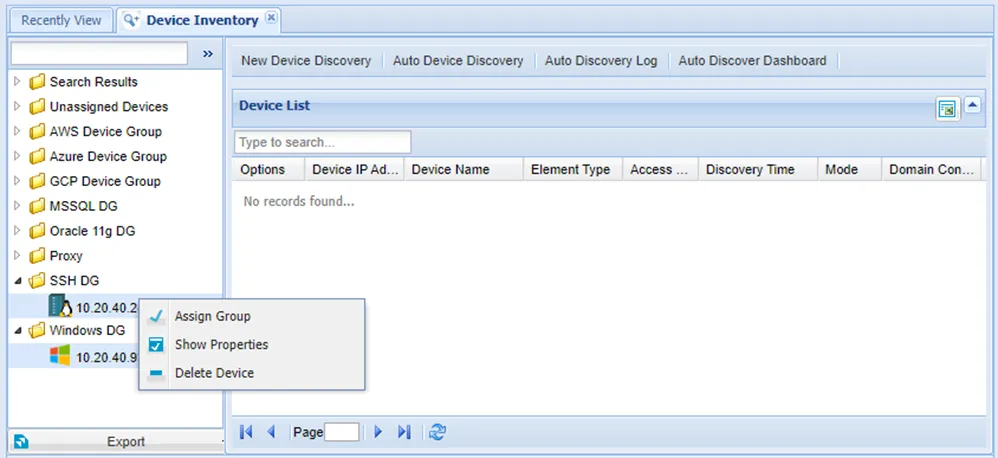
There is a list of devices on the left side of the Device tab screen. Right-clicking a device group opens a menu with the items below:
Open Terminal / Open Remote Desktop: To connect to the device via a terminal (for SSH/telnet devices) or remote desktop connection (for RDP devices).
Assign Group: To assign the device to a device group. A device can be assigned to more than one device group.
Rediscover: To edit device creation configurations.
Show Properties: Device properties can be added, deleted, edited, and listed. Information on current device properties is available in the next section, Device Properties
Add/Edit Remote Apps: If, for a device, the application path is different from the path that is defined in the Administration-Remote Desktop app, This option is used to change the path on the device. It is only applied when remote apps are allowed in the device group.
Delete Device: To delete the device.
Schedule Maintenance Time: To configure and schedule a maintenance time for the user. Date,time, and user can be selected. Maintenance Policy Groups only apply to devices during maintenance time. Operations Policy Group doesn’t apply to maintenance time. Multiple devices can be chosen by pressing CTRL + LMB. Assigning, deleting, and editing properties for multiple device groups can be configured.
If devices have different properties, it is indicated by the message Multiple values found selected devices. When properties with different values are edited, the new value applies to all selected devices.