Creating Dashboards
Dashboards can be added and adjusted from the Reporting section of Kron PAM:
- Navigate to Dashboard > Reports > Report Designer > Charts (Select one of your created charts)
- Click the Save button to add a new dashboard. A pop-up appears, select a dashboard or create a new one inside of the Add to Dashboard input section. a. To create a new dashboard, write a unique dashboard name and press enter. Its automatically creates a dashboard for you.
- Once the dashboard is added, it can be found in the List Dashboards section.
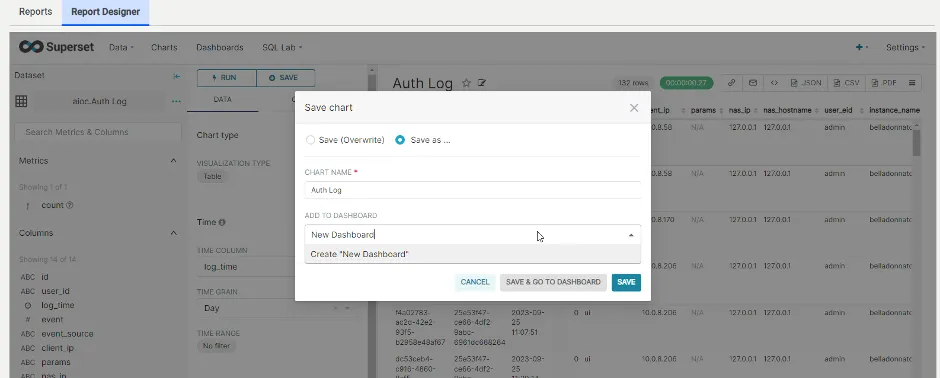
Adding New Dashboards
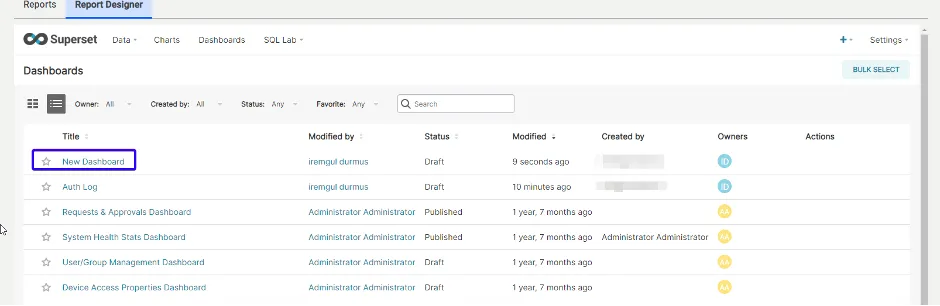
Adding New Dashboards
The User can include different charts & filters when creating a dashboard, by clicking on the Edit Dashboard button. It is also possible to resize charts & filters by dragging and dropping. Once the dashboards are ready, they can be exported as PDF.
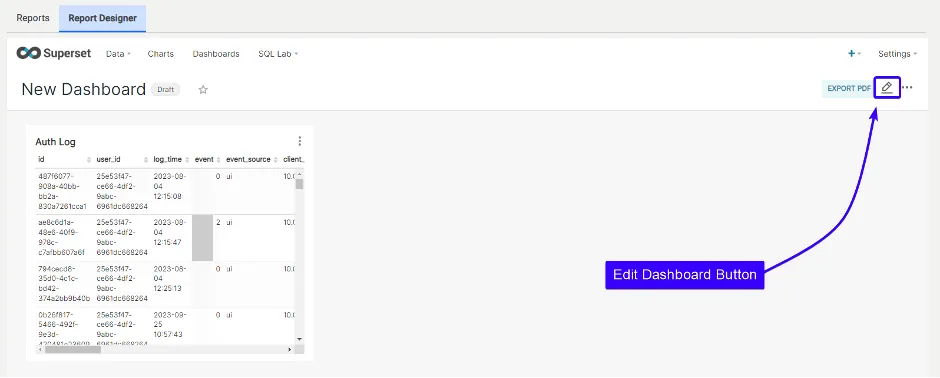
Adding Different Charts & Filters to a Dashboard
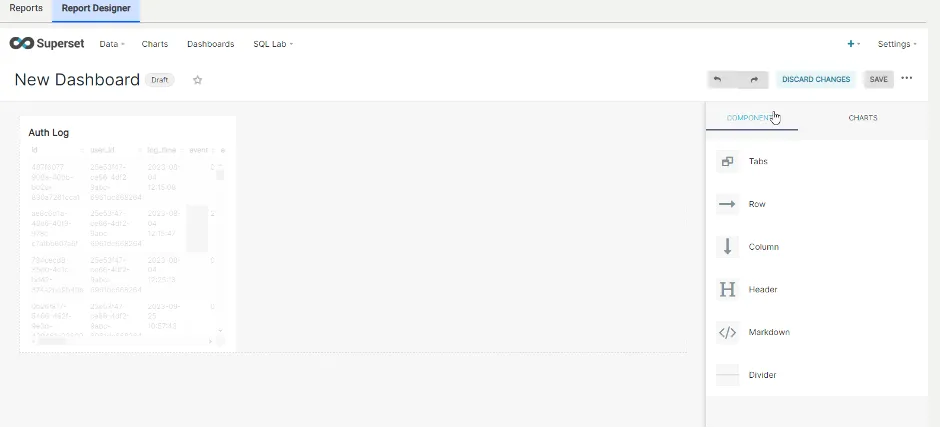
Adding Different Components or Charts & Filters to a Dashboard
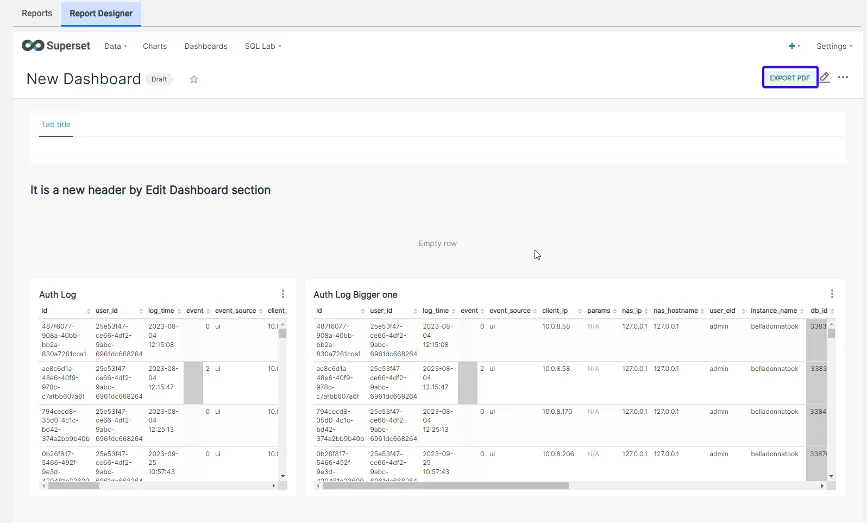
Editing Dashboard and Exporting as PDF
The User can also export (as CSV or PDF) any chart included in the dashboard. It is also possible to explore the desired chart and make adjustments.
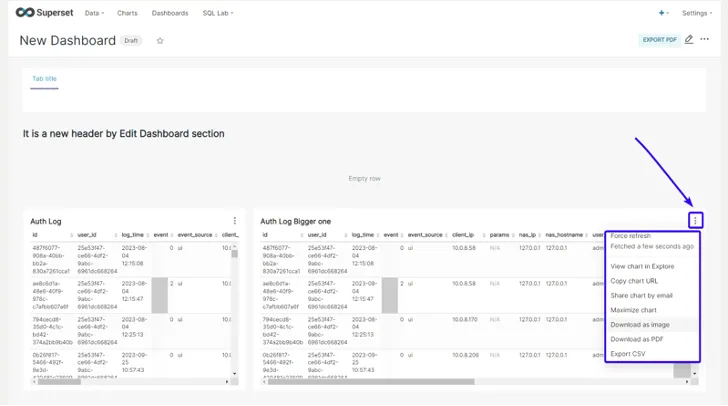
Dashboard Properties