Change Account Password Manually
Sometimes an SAPM account password can be changed manually by another person, or a superior user. In this case, the SAPM account password will be updated with the new password. To update the password, follow the steps below:
- Navigate to SAPM Management > SAPM Management.
- Open the SAPM Accounts tab.
- From the User Options dropdown menu of the selected account, select Update Password. The Update Password window opens.
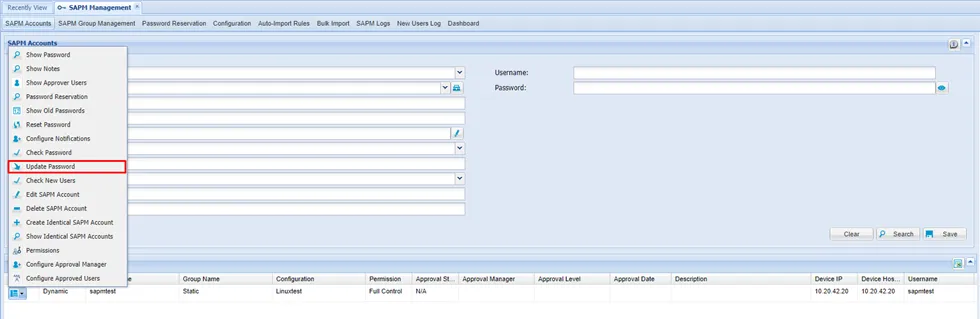
- Update the password by entering the current and new passwords, then click Update.
- Confirm the dialog box.
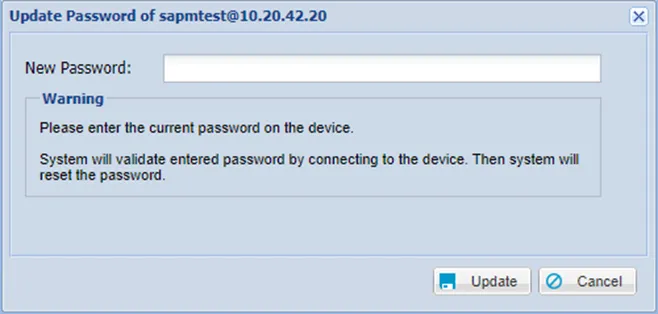
Update Password window
- The Dynamic Password Controller will connect to the target device using the new password and will reset the password again.
- If the dynamically configured static accounts’ password in the SAPM is incorrect, it can be updated manually.
- Static-configured static calculations can be updated without any control.