Basic Configurations for TACACS+ Devices
- Add a new element type if the properties of the existing Element Types do not match the properties of the new devices. (See section Element Typefor details on how to add an element type)
- Add a new device group if the realms or properties of the existing device groups do not match the new devices. (See the section Device Groups for details on how to add a new device group)
- Add the RADIUS/TACACS+ secret as globalSecretKey to the Device Group (refer to section Device Group Properties for details on how to add a device group property)
- Add the Common Enable Password globalEnablePassword property to the Device Group, if your device prompts you for an enabled password to run some scripts.
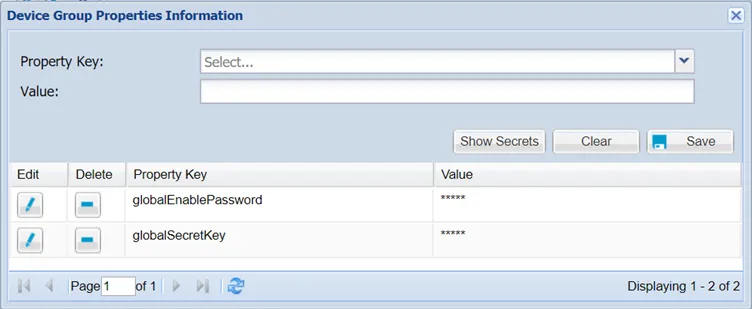
Secret Key and Enable Password Definitions
- Add the device using the New Device Discovery feature on the Device Inventory screen. You can use SSHv2 as the protocol. Select the Element Type and the Device Groups you just created. (See section Adding Devices Manually for details on how to add a device using New Device Discovery.)
- Add a Device Group Realm between the Device Group and the User Groups that will have access. (See section Creating Device Group Realms for details on how to add a device group realm)
- Add RADIUS and TACACS+ attributes as policy keys (described below)
- Add command-level White and Black Keys as policy keys (See section Policy Key Definition for details on how to define policy keys for white key/black key commands or RADIUS and TACACS+ attributes)
- Create Policy Groups for the White Key, Black Key, RADIUS, and TACACS+ attribute policy keys (See section Policy Groups Definition for details on how to create policy groups)
- Create Policy Realms between the newly-created Policy Groups and Device Group Realms (See section Policy Realm Definition for details on how to create policy realms)