Creating Application Token
1 min
For Kron PAM Application-to-Application-Password Management (AAPM) integrations, an Application Token must be created by defining the account information to be accessed and the necessary authorizations. To add an application token:
- Log in to the Kron PAM web user interface.
- Navigate to the Secrets menu and open the Application Token tab.
- Click the +Add button and fill in the required fields.
- Then click the Next button.
- Select Basic as the security level.
- Click the Save button to add the application token.
- Application Token to use when configuring UCMDB Kron PAM extension package.
For detailed information about the steps to creating an Application Token, you can follow the Reference Guide.
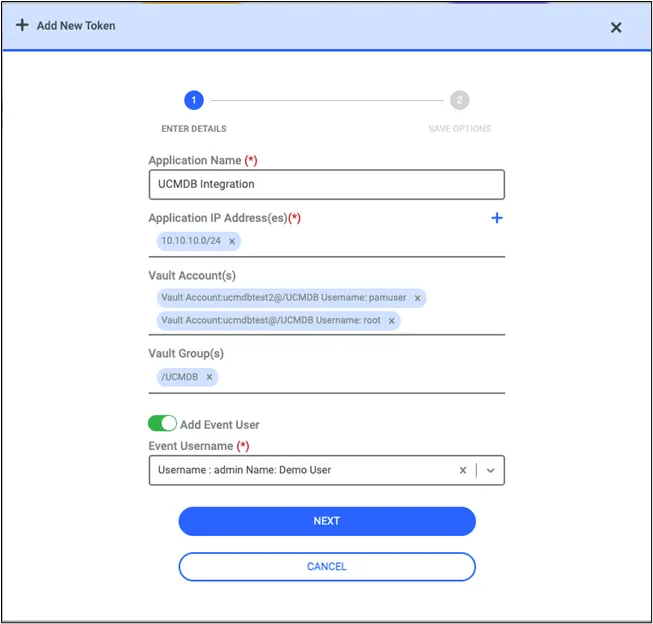
Adding Application Token