Add Kron PAM as a Credential Store
2 min
Step 1: Navigate to Credential Stores
- Open UiPath Orchestrator.
- Go to the Tenant tab (upper-left corner).
- Click on Credentials from the top navigation.
- In the Stores tab, click + Add credential store.
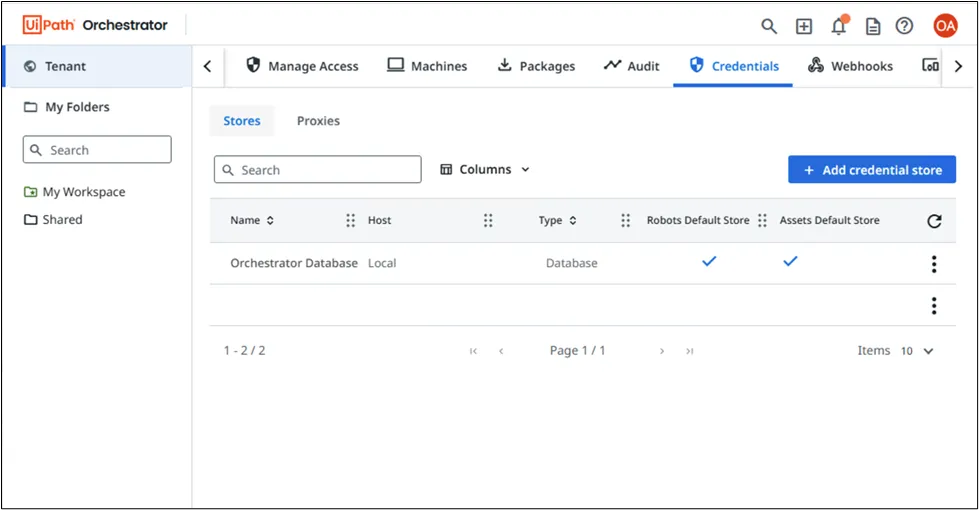
Navigate to Credential Store
Step 2: Enter Credential Store Details
In the Add Credential Store form, configure the following:
- Proxy: Leave as Local.
- Type: Select Kron PAM (this is enabled by your custom plugin).
- Name: Kron PAM
- Kron PAM Port: 443
- AAPM Token: Enter the application token generated from Kron PAM.
- Tenant ID: Use Host or your specific tenant ID if needed.
Click Save to register the store.
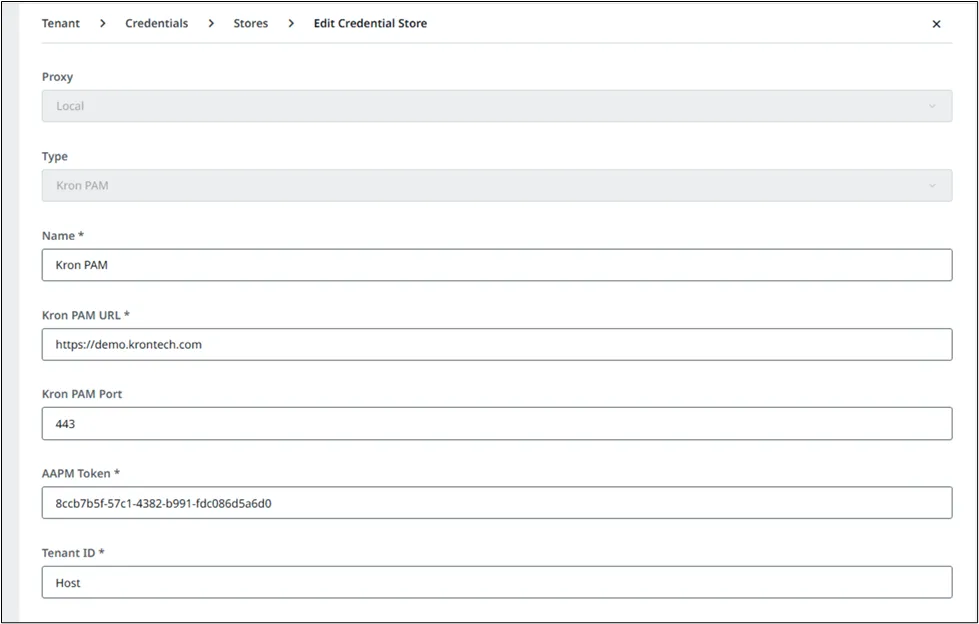
Enter Credential Store