AAPM Agent Installation in Windows Environments
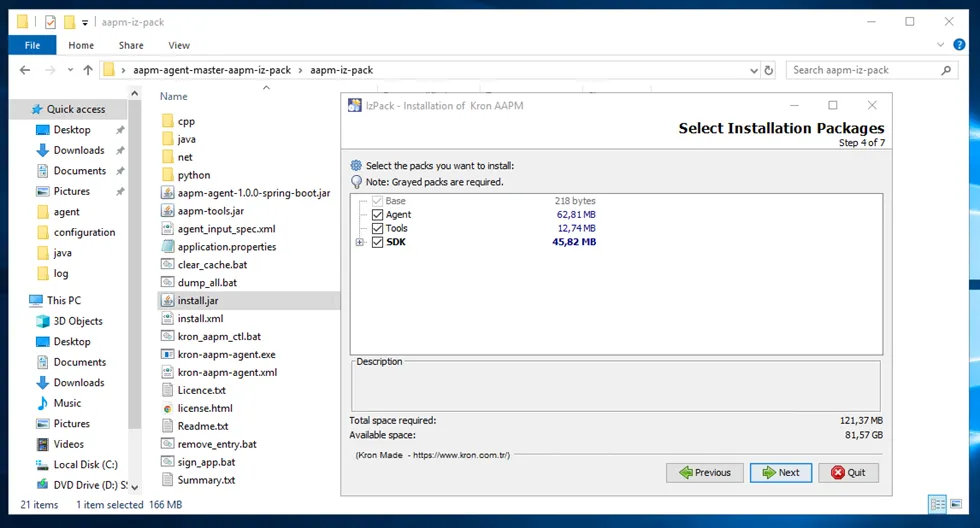
The agent files found in the Kron Repository are uploaded to the Windows environment where the agent will run, and the kron-aapm-agent.exe is executed to perform the agent installation. Additionally, SDK files are included in the repository. These SDK files do not need to run in the same environment as the agent. Further details will be provided under the section 5. Using AAPM Agent SDKs.
When running the exe file, a package installation popup appears. In the popup, the Agent, SDK, and Tool packages are selected, and then the Kron PAM IP Address, Registration Key, and gRPC port are configured to complete the installation.
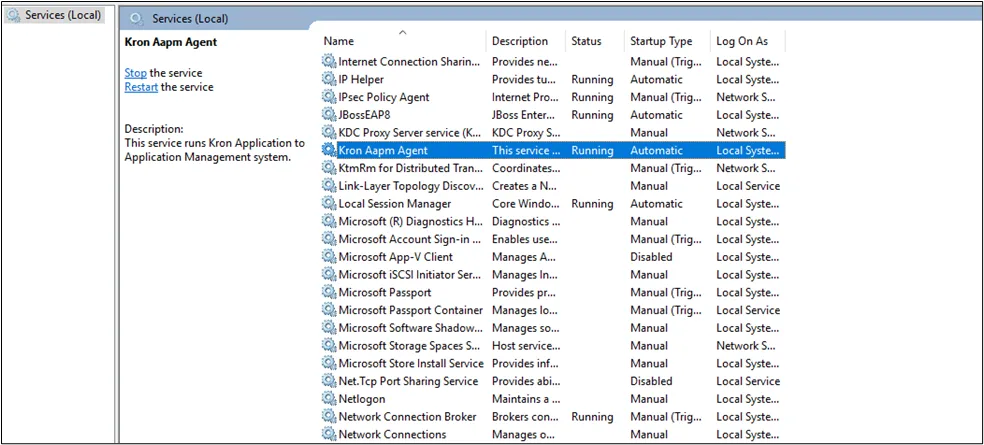
After installation, the status of the agent service can be checked by running Services.msc in the search field to verify the Kron AAPM Agent service is running.
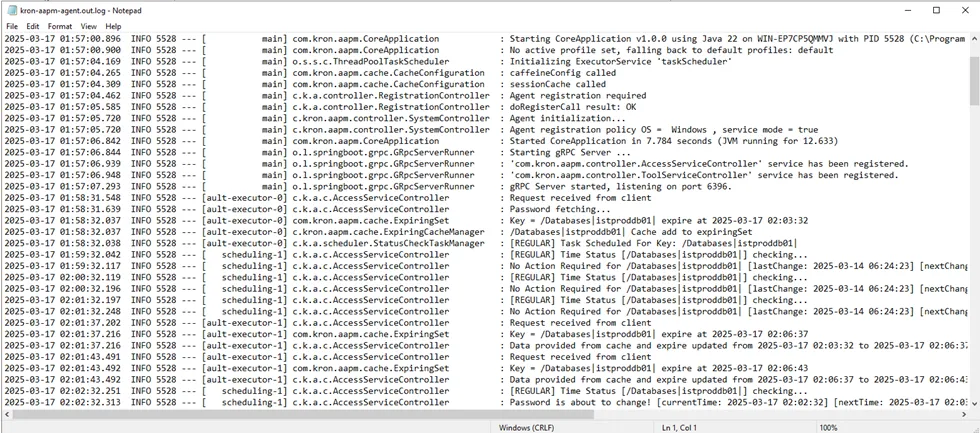
Logs related to the agent can be checked under the kron-aapm-agent.out.log file in the directory where the agent is installed. In case of a service restart or agent cache status changes, logs are recorded with a timestamp.