AAPM Agent Installation in Linux Environments
The AAPM Agent installation package must be downloaded from the Kron Repository and transferred to the target Linux environment where the agent will operate. The repository also contains SDK files, which are required for integration but do not need to be installed on the same host as the agent. Additional details on using the SDKs are provided in Using AAPM Agent SDKsUsing AAPM Agent SDKs.
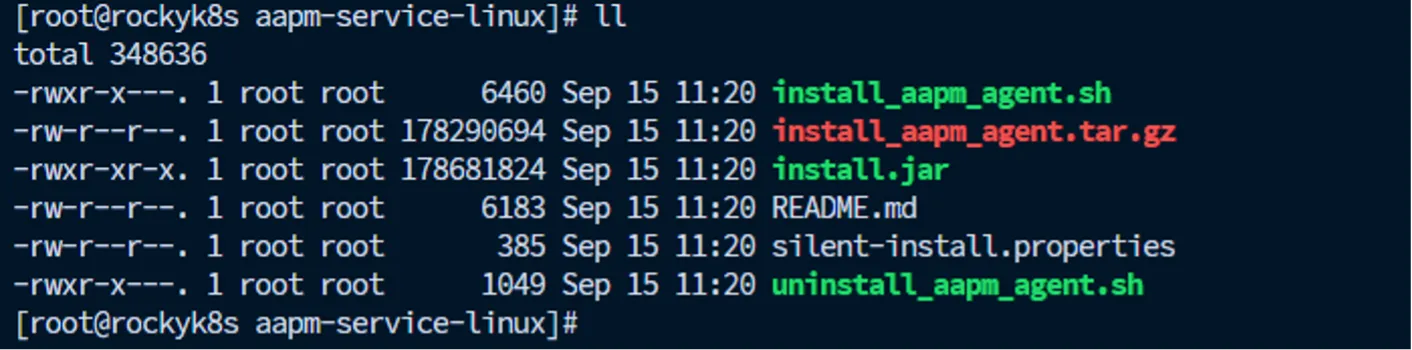
Installation Overview
The installation process is automated through a setup script that manages all necessary steps. This script includes:
- install.jar – The main installation package that performs the deployment.
- silent-install.properties – A configuration file that defines the installation parameters.
The AAPM Agent is a Java-based application and requires OpenJDK 8 or later to run.
Silent Installation Properties File
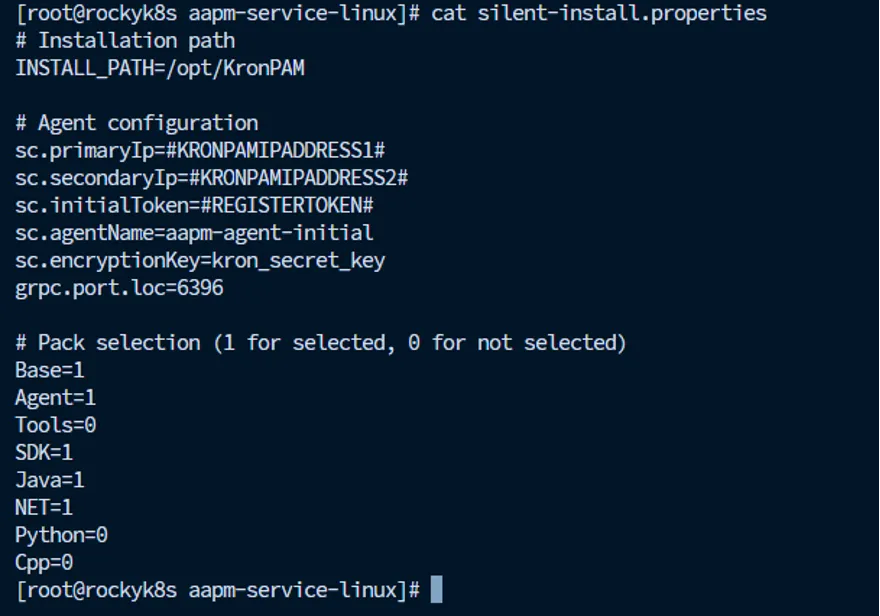
The silent-install.properties file contains key configuration parameters that must be customized before running the installation script. The parameters and description information in the configuration file are provided in the table below.
Parameter | Description |
|---|---|
INSTALL_PATH | Target directory where the agent will be installed. |
sc.primaryIp | IP Address of Kron PAM's Primary Node |
sc.secondaryIp | IP Address of Kron PAM's Secondary Node |
sc.initialToken | Registration token required during the initial installation. |
sc.agentName | Name assigned to the AAPM Agent instance. |
sc.encryptionKey | Encryption key used for secure communication. |
grpc.port.loc | Port number for communication between the agent and SDKs. |
Default Installation Path and Requirements
By default, the AAPM Agent is installed in:
Installation Procedure
Once the silent-install.properties file has been configured with the correct parameters, execute the install script as follows:
# ./install_aapm_agent.shThe install_aapm_agent.sh script automatically:
- Creates the necessary service definitions.
- Configures agent user and permissions.
- Starts the AAPM Agent service upon successful installation.
Managing the AAPM Agent Service
After installation, the AAPM Agent runs as a system service. To verify the service status, use:
# systemctl status aapm-agent.service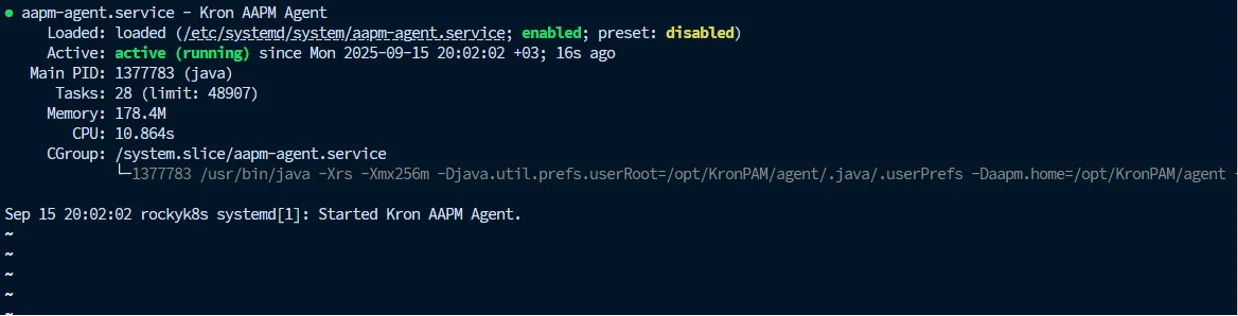
Viewing Logs
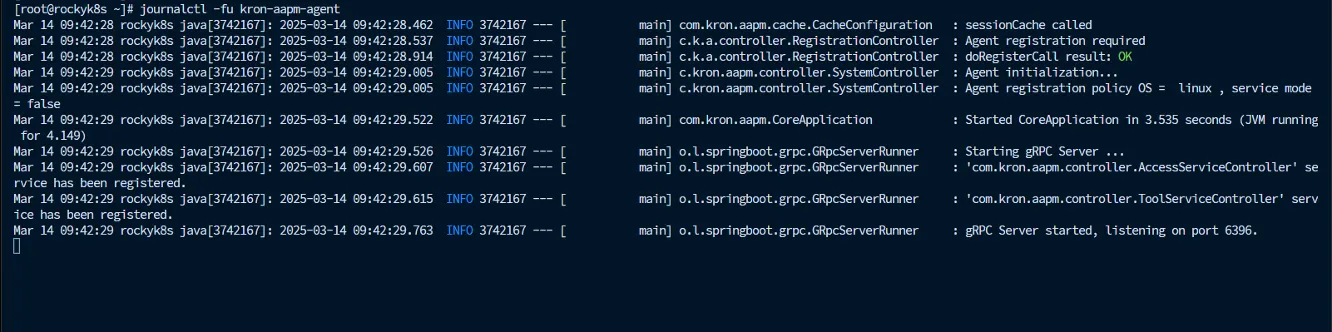
Agent runtime logs can be monitored using the journalctl command:
# journalctl -fu aapm-agent.service
This command provides a live feed of the AAPM Agent’s logs for troubleshooting and monitoring purposes.
Note:Ensure that all commands are executed with appropriate privileges (e.g., root or sudo) and that network connectivity is available between the AAPM Agent and Kron PAM Nodes.
Uninstallation Procedure
To remove the AAPM Agent and all related files, use the provided uninstall script:
# ./uninstall_aapm_agent.shExecuting this script completely removes the agent and its associated directories from the system.