Block Policy Group
1 min
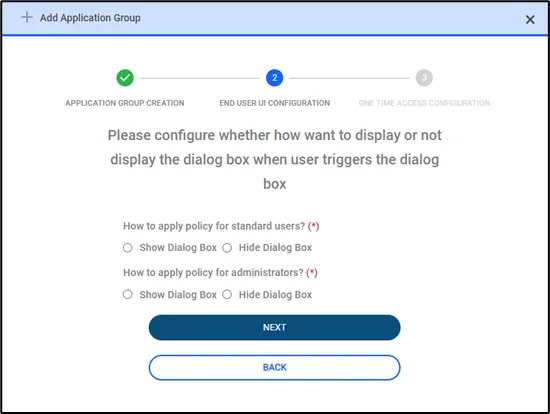
End User UI Config
Windows agent displays a pop-up message when an application gets blocked due to policies. In this step, the user is asked to configure whether this pop-up will be visible to standard and admin users. If the dialog box is selected no message will be displayed to the end users when an application gets blocked.
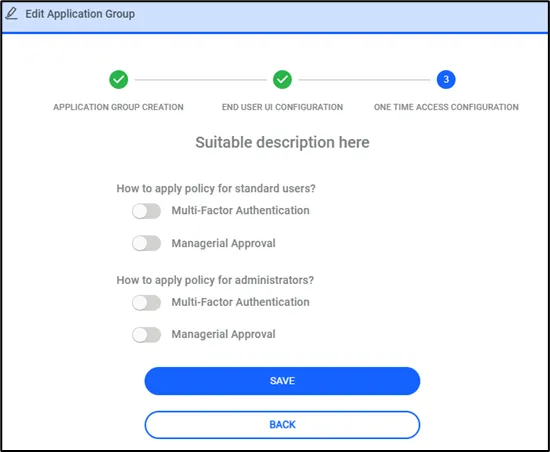
One Time Access Config
In the last step, the user is expected to configure a just-in-time access configuration. When an agent blocks an application users can ask for an elevation to access a blocked application. Users can configure the required security steps to grant access to the user. This can be configured separately for admins and standard users. To get access depending on the configuration users can be asked for MFA and Managerial approval via email.