Event Details
1 min
To display the details of an application, click the actions button of its record:
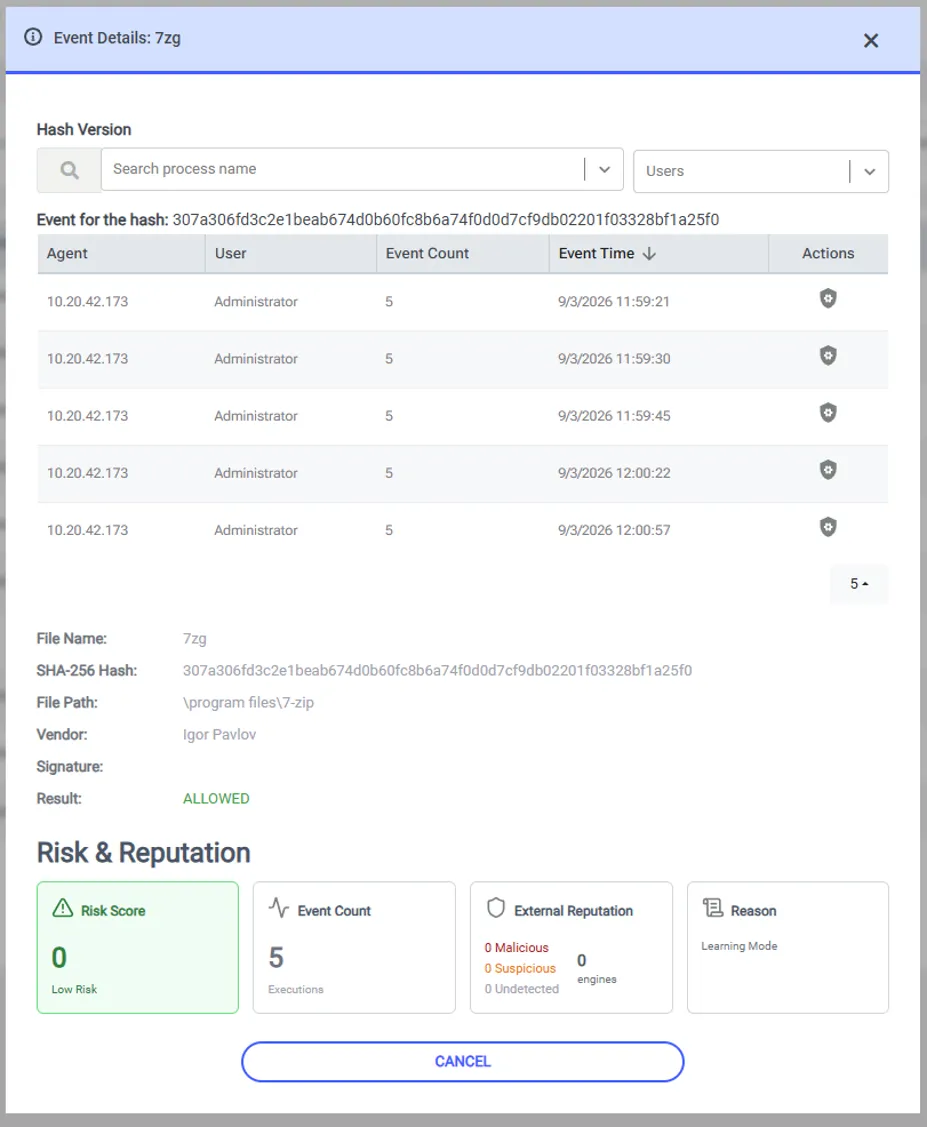
Figure – Event details of an application
The Hash Version list at the top of the window defines the file version that the window covers. An application has more than one hash when different versions of its file run on the endpoints. To display the events of one user, select the user in the Users list.
The table lists every agent and user that runs the selected file version, with the event count and the time of the last event.
Below the table, Kron PAM displays the file information: File Name, SHA-256 Hash, File Path, Vendor, Signature, and Result.
The Risk & Reputation section displays four panels:
- Risk Score shows the calculated risk of the application.
- Event Count shows the number of the executions.
- External Reputation shows how many engines report the file as malicious, suspicious, or undetected.
- Reason shows the policy or the agent mode that produces the result.